Zero Trust Security: What It Really Means for Your Digital Protection
Zero Trust Security: What It Really Means for Your Digital Protection
Zero Trust has become one of the most discussed concepts in cybersecurity, yet it remains widely misunderstood. Many people assume it refers to a specific product or technology they can purchase and install. In reality, Zero Trust represents a fundamental shift in how digital security operates—moving from the outdated “trust but verify” model to one that assumes threats exist both outside and inside network boundaries.
This shift matters for everyone, not just large enterprises. Remote work, cloud services, and mobile devices have dissolved the traditional security perimeter that once protected corporate networks. The same vulnerabilities affect home networks, small businesses, and individual users managing personal data across multiple devices and locations.
Understanding Zero Trust principles provides practical benefits regardless of technical expertise or budget. These concepts inform better security decisions, from choosing authentication methods to configuring home networks. This guide explains what Zero Trust actually means, why it emerged, and how its core principles apply to real-world situations.
Why Traditional Security Models No Longer Work
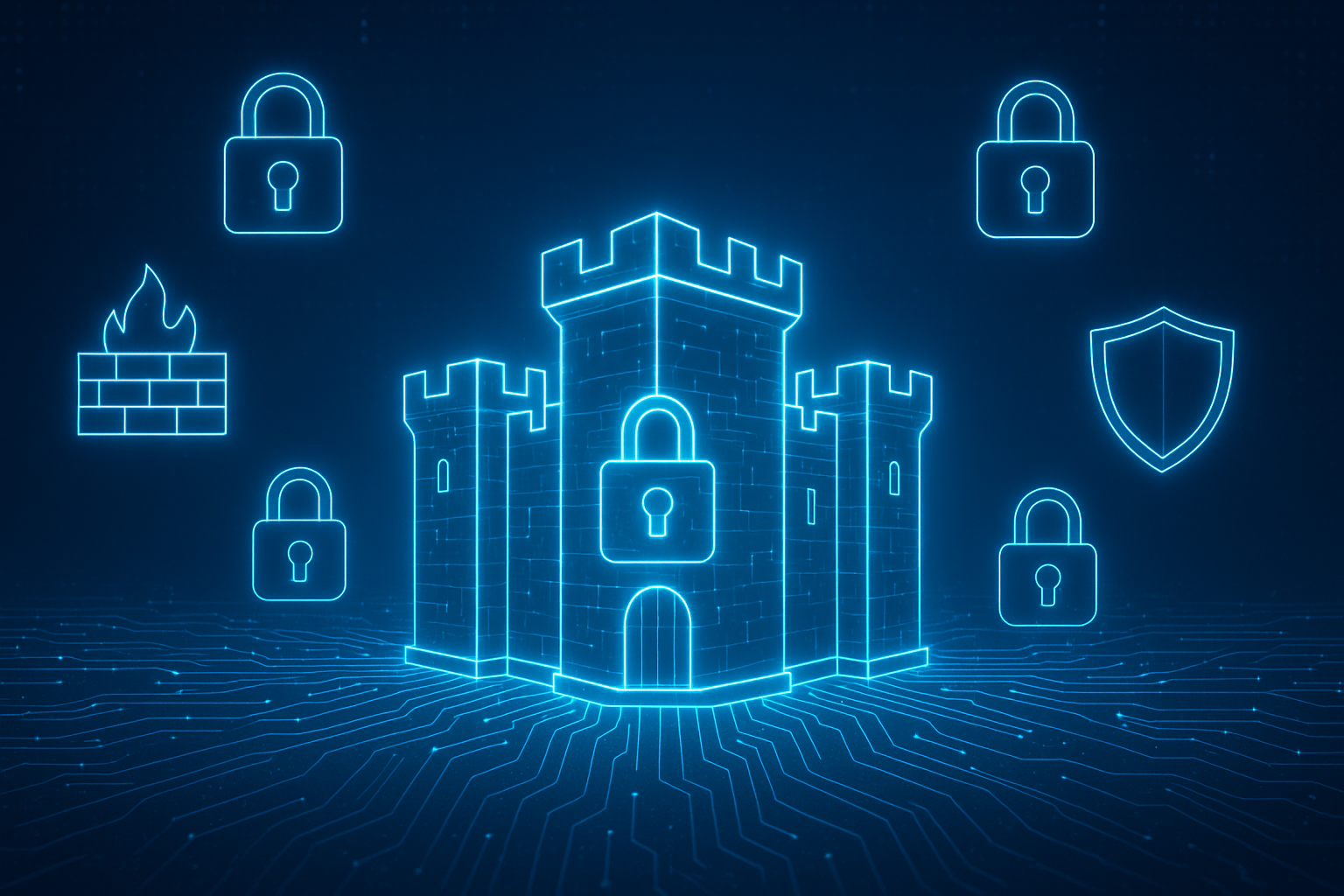
The “castle-and-moat” approach to security dominated for decades. Organizations built strong perimeters—firewalls, VPNs, network boundaries—while trusting everything inside those walls. Once a user or device gained access through the front gate, they could typically move freely throughout internal systems.
This model made sense when employees worked in physical offices, accessing resources on local networks. Security teams focused on defending the perimeter, assuming that anything inside the walls was trustworthy and anything outside posed a threat.
Several developments exposed critical flaws in this approach. Cloud adoption meant data and applications no longer resided behind a single network perimeter. Remote work became permanent rather than occasional, with employees accessing resources from home networks, coffee shops, and airports. Mobile devices blurred the line between personal and professional technology. Supply chain attacks like SolarWinds demonstrated that threats could originate from trusted sources inside the perimeter.
According to security incident data, breaches increasingly involve lateral movement—attackers gain initial access through one compromised account or device, then move freely across networks to reach their actual targets. Traditional perimeter security fails to detect or stop this movement once the initial breach occurs.
The problem extends beyond corporate networks. Home networks face similar challenges as they grow more complex. Smart TVs, security cameras, thermostats, and other IoT devices create numerous entry points. Family members access the network from multiple devices. Guest networks, if they exist at all, often lack proper isolation. A compromised smart speaker could provide attackers access to the same network as computers containing financial records and personal data.
Understanding Zero Trust Principles
Zero Trust operates on a simple premise: never trust, always verify. Instead of granting broad access based on network location, Zero Trust requires continuous verification of every user, device, and connection attempting to access resources.
Microsoft’s framework identifies three core principles that define Zero Trust architecture. These principles work together to create security that adapts to modern threats and working environments.
Verify Explicitly
Authentication occurs continuously, not just at login. Systems check multiple factors—user identity, device health, location, behavior patterns—before granting access to each resource. A morning login from a known device establishes one level of trust. An attempt to access financial data from an unfamiliar location triggers additional verification steps.
This principle extends beyond passwords. Multi-factor authentication (MFA) requires users to prove identity through something they know (password), something they have (phone or security key), and potentially something they are (biometric). Modern implementations evaluate device posture—whether software is updated, antivirus is active, disk encryption is enabled—before allowing connections.
Use Least Privilege Access
Users and systems receive the minimum access required to perform their specific functions, nothing more. This contrasts sharply with traditional approaches that often granted broad permissions for convenience.
Least privilege means a customer service representative accesses customer records but not financial systems. A developer has write access to test environments but read-only access to production. An administrator account performs administrative tasks, while a separate standard account handles daily work like email and document editing.
Just-in-time (JIT) access takes this further by granting elevated permissions only when needed and revoking them automatically afterward. Rather than maintaining permanent administrator rights, a user requests elevated access for a specific task, receives temporary permissions, and returns to standard access levels once complete.
Assume Breach
Security architecture operates under the assumption that breaches will occur. Rather than focusing solely on prevention, Zero Trust emphasizes limiting damage when—not if—attackers gain access.
Micro-segmentation divides networks into isolated zones, preventing attackers from moving laterally even after compromising one segment. Strong encryption protects data at rest and in transit, ensuring stolen data remains unreadable without proper keys. Continuous monitoring detects anomalous behavior that might indicate compromised accounts or devices. Regular audits identify excessive permissions that could amplify breach impact.
This mindset shift proves crucial. Organizations and individuals who assume perfect prevention often suffer catastrophic losses when inevitable breaches occur. Those who assume breach and plan accordingly contain damage quickly and maintain business continuity.
How Zero Trust Differs From VPNs
Many remote workers rely on virtual private networks (VPNs) to access company resources securely. While VPNs provide encrypted connections, they fundamentally operate on the old castle-and-moat model.
A VPN creates a tunnel between a user’s device and the corporate network. Once connected, the device effectively sits inside the network perimeter with broad access to internal resources. This approach introduces several problems. A compromised device with VPN access can expose the entire network. Users may experience slow performance as all traffic routes through VPN servers. IT teams struggle to apply granular access policies since VPN connections typically grant network-level access rather than resource-specific permissions.
Zero Trust Network Access (ZTNA) provides an alternative that aligns with Zero Trust principles. Instead of connecting devices to networks, ZTNA connects verified users to specific applications. The user authentication process checks identity, device posture, and context before granting access to individual resources. Users access only what they need—the accounting application, the file server, the development environment—without seeing or connecting to the broader network.
This architecture significantly reduces risk. A compromised device can only access the specific resources granted to that user, not the entire network. Performance improves because traffic flows directly to applications rather than through VPN bottlenecks. Administrators apply detailed policies at the application level, easily adjusting access as roles change.
Applying Zero Trust Concepts at Home
Zero Trust principles scale down effectively for personal and home network security. Full enterprise implementations require substantial investment, but core concepts apply with free or low-cost tools.
Network Segmentation
Modern routers typically support multiple networks—a main network and one or more guest networks. This basic segmentation provides valuable protection. IoT devices like smart TVs, security cameras, and voice assistants operate on the guest network, isolated from computers and phones containing sensitive data. If a smart device is compromised, attackers cannot pivot to personal computers or phones on the main network.
Some routers support more advanced segmentation through virtual LANs (VLANs), allowing creation of separate network zones for different device types or family members. This granularity mirrors enterprise micro-segmentation at home scale.
Strong Authentication Practices
Multi-factor authentication should protect all accounts containing important data—email, banking, cloud storage, social media. Free authenticator apps like Google Authenticator or Authy generate time-based codes, providing strong second-factor authentication without additional hardware costs.
Password managers generate and store unique, complex passwords for each account, eliminating password reuse that allows one breach to compromise multiple accounts. Services like Bitwarden offer free tiers suitable for personal use.
Least Privilege in Daily Use
Standard user accounts should handle daily computer use—web browsing, document editing, email—reserving administrator accounts exclusively for system changes like software installation or configuration updates. This simple separation limits malware impact. Ransomware or spyware running under a standard account cannot modify system files or install persistent threats.
Family shared devices benefit from individual user accounts rather than a single shared login. Each person receives appropriate permissions—children get restricted accounts preventing software installation, adults use standard accounts, and one person maintains an administrator account for maintenance.
Device Posture Monitoring
Enable automatic updates for operating systems, applications, and firmware. Current patches close known security vulnerabilities that attackers actively exploit. Antivirus and anti-malware tools should run on all devices with active, updated definitions.
Regular audits identify unused accounts, excessive permissions, or outdated software. This quarterly review takes an hour but significantly reduces attack surface.
Continuous Verification
Consider each access request independently rather than granting permanent trust. Banking websites that require re-authentication after periods of inactivity implement this principle. Browser configurations that clear cookies on exit force fresh authentication at each session.
Location-based policies add another verification layer. Many services send alerts or require additional authentication for logins from new locations or devices, detecting potential account compromise.
Common Misconceptions About Zero Trust
Several misunderstandings complicate discussions about Zero Trust implementation and value.
Zero Trust Is Not a Product
Vendors market “Zero Trust solutions,” but Zero Trust itself describes a security strategy and architecture, not a specific technology. Organizations and individuals implement Zero Trust principles using combinations of identity management, access control, network segmentation, and monitoring tools. No single product delivers complete Zero Trust architecture.
This matters because it shifts focus from purchasing solutions to thinking strategically about security design. The question becomes “How do we verify users continuously?” rather than “Which Zero Trust product should we buy?”
Zero Trust Does Not Mean Zero Trust in People
The name creates confusion. Zero Trust does not imply treating employees or users as malicious. Instead, it recognizes that credentials and devices can be compromised regardless of user intentions. Verification protects legitimate users from attacks that steal credentials or compromise devices.
An analogy helps: Requiring identification to enter a building does not mean distrusting employees. It prevents unauthorized individuals from entering using stolen badges or following employees through doors. Similarly, continuous verification in Zero Trust prevents attackers from exploiting stolen credentials or compromised devices.
Implementation Does Not Require Complete Overhaul
Organizations and individuals often delay Zero Trust adoption, assuming it requires replacing existing infrastructure completely. Practical implementation follows incremental steps, starting with highest-risk areas.
A home network might begin with enabling MFA on email accounts, then add network segmentation, then implement better access controls on shared devices. Each step improves security without requiring massive changes.
Enterprises typically prioritize crown jewels—the most sensitive data and critical systems—for initial Zero Trust controls, then expand coverage over time as teams gain experience and see results.
Real-World Zero Trust Applications
Several concrete examples demonstrate how Zero Trust principles translate to practical security improvements.
Remote Workforce Protection
A distributed team accesses company applications from home offices, coffee shops, and co-working spaces. Traditional VPN approaches would create a single encrypted tunnel to the corporate network, trusting all traffic once connected.
Zero Trust implementation using ZTNA verifies each user’s identity through MFA, checks device compliance (updated OS, active antivirus, encryption enabled), evaluates location and behavior patterns, then grants access to specific applications needed for that user’s role. An account manager accesses CRM and email but not development environments. A developer accesses code repositories and testing systems but not customer data.
If credentials are stolen, attackers face multiple verification steps before gaining access. If they succeed, their access remains limited to specific applications rather than the entire network, and anomalous behavior triggers alerts.
Home Network Security
A family maintains various devices—laptops, phones, tablets, gaming consoles, smart home devices, security cameras. Traditional setup places all devices on one network with full mutual visibility and access.
Zero Trust principles applied to this environment segment the network into zones. Primary computers and phones operate on the main network. Smart home devices and security cameras occupy a guest network without access to the main network. Children’s devices connect to a separate network with content filtering and time restrictions.
Individual user accounts on shared computers prevent one person’s compromised account from accessing others’ data. Password manager stores unique credentials for each family member’s accounts. MFA protects email, banking, and other sensitive accounts. Automatic updates keep all devices patched against known vulnerabilities.
When a smart security camera company suffers a breach exposing credentials, attackers cannot pivot from compromised cameras to personal computers because network segmentation isolates these devices.
Small Business Implementation
A small business with ten employees needs security without enterprise budget or IT staff. Traditional approaches might implement a firewall and basic antivirus, trusting internal network traffic.
Zero Trust implementation starts with free or low-cost tools. Cloud-based identity management (many services offer free tiers for small organizations) enables MFA across all accounts. Role-based access controls limit each employee to relevant applications and data. File sharing platforms like SharePoint or Google Workspace provide granular permissions at the file and folder level.
Network segmentation separates employee devices from guest WiFi and office IoT devices (printers, security cameras, smart thermostats). Endpoint detection tools monitor device behavior for anomalies. Regular access audits identify permissions that should be revoked when roles change.
This layered approach costs far less than suffering a breach that compromises customer data, triggers notification requirements, and damages reputation.
Getting Started With Zero Trust Thinking
Adopting Zero Trust principles does not require immediate technical implementation. The mindset shift itself improves security decision-making.
Start by questioning default trust assumptions. When configuring a new device, consider what access it actually needs rather than connecting it to the main network by default. When creating user accounts, assign specific permissions required for each role rather than granting administrative access for convenience. When evaluating cloud services, review authentication options and enable the strongest available methods.
Audit existing access periodically. List accounts with administrator privileges—do all these accounts need elevated access, or have permissions accumulated over time? Review application permissions on phones and computers—do all these apps need location access, camera access, microphone access? Check home network devices—do all of them need to be on the same network, or could some be segmented?
Prioritize improvements based on risk. Email accounts often provide password reset capabilities for other services, making them high-value targets. Financial accounts contain sensitive data and money. Work accounts may carry compliance obligations. Secure the highest-risk accounts first with MFA and strong authentication.
Document security procedures for future reference. Write down which accounts use which authentication methods. Record network segmentation decisions. Note where sensitive data is stored and who should have access. This documentation proves invaluable when investigating potential incidents or training family members and colleagues.
The Future of Zero Trust
Zero Trust adoption continues accelerating as organizations recognize that traditional perimeter security cannot protect modern distributed environments. Industry analysts project that more than 80% of enterprises will have deployed Zero Trust initiatives by 2025, driven by regulatory requirements, cyber insurance mandates, and breach experiences.
Technology evolution supports broader implementation. Cloud identity services make strong authentication accessible without major infrastructure investment. ZTNA platforms offer alternatives to VPN bottlenecks. Machine learning enhances risk-based policies by detecting subtle behavioral anomalies. Standards like NIST Special Publication 800-207 provide implementation frameworks that reduce guesswork.
For individuals and small organizations, increasing availability of free and low-cost security tools makes Zero Trust principles accessible regardless of budget. Authentication apps, password managers, device management platforms, and network monitoring tools continue improving while costs decline.
The most important trend involves mindset. As breaches become routine rather than exceptional, the assumption that prevention guarantees safety gives way to preparation for inevitable compromise. This shift makes Zero Trust principles not just best practices but essential components of responsible digital citizenship.
Moving Beyond Perimeter Thinking
Zero Trust represents more than a security framework—it reflects a realistic assessment of modern threat landscapes and technology environments. The dissolution of network perimeters through cloud adoption, remote work, and mobile devices means security must travel with data, applications, and users rather than protecting fixed locations.
This evolution affects everyone, not just security professionals. Students entering IT careers encounter Zero Trust principles in virtually every security role. Remote workers rely on Zero Trust architectures whether they recognize it or not. Home networks benefit from the same segmentation and verification concepts that protect corporate environments.
Implementation need not be overwhelming. Starting with core principles—verify continuously, limit access, assume breach—improves security posture immediately. Adding technical controls incrementally builds toward comprehensive protection without requiring massive upfront investment or disruption.
The transition from “trust but verify” to “never trust, always verify” may seem subtle, but its implications are profound. This shift acknowledges that trust itself has become a vulnerability in interconnected digital environments. Verification provides the security that trust can no longer deliver, protecting data and systems in a world where threats are persistent, sophisticated, and inevitable.
Enjoyed this article?
Subscribe to Professor Simon's weekly newsletter for practical insights, career guidance, and leadership lessons delivered every Friday.
A confirmation email will be sent. If you don't receive it, please check your spam or junk folder.
No spam. Unsubscribe anytime.
Prefer to Listen?
Listen to Professor Simon’s IT & Cybersecurity Podcast for practical conversations about cybersecurity careers, certifications, security leadership, and real-world lessons from the field.
Listen on Spotify