Your Employees Are Already Using AI. Now What?
If you think your employees are waiting for permission before using AI tools, you’re probably operating on information that’s already six months out of date. The real question isn’t whether they’ll use AI. It’s whether your organization has any idea what they’re already doing with it.
I’ve sat in enough conference rooms with security leaders to recognize a particular expression. It’s the look someone gets when they realize the policy debate they’ve been having for the past three months is based on a premise that stopped being true before they even scheduled the first meeting.
They’re discussing whether to allow employees to use AI tools. Meanwhile, those same employees are already using ChatGPT to draft customer emails, GitHub Copilot to write code, and various other AI assistants to summarize documents, analyze data, and prepare presentations.
The conversation about permission is happening in one reality. The actual usage is happening in another.
The Policy Gap Nobody Wants to Admit
Most organizations are approaching AI policy backwards. They’re trying to decide whether to allow AI before understanding how employees are actually using it and what risks those specific use cases create.
This isn’t a criticism of employees. People use the tools that help them do their jobs better. When a technology becomes widely available and solves real problems, adoption happens naturally. Waiting for formal approval before trying something that’s free, accessible, and genuinely useful isn’t how human behavior works.
It’s also not a criticism of security teams. You can’t write policy for something you don’t understand, and generative AI tools appeared and achieved mainstream adoption faster than most organizations’ policy development cycles can accommodate.
But here’s what matters now: the debate about whether to permit AI usage is largely irrelevant. That decision has already been made by employees across your organization, department by department, task by task. Your job as a security leader isn’t to decide whether this will happen. It’s to understand what’s already happening and establish practical boundaries around it.
Why Understanding Current Usage Comes Before Making Policy Decisions
Before you write a single line of policy, you need to know what you’re actually dealing with. Not what you think is happening. Not what should be happening according to current guidelines. What is actually happening.
This means talking to people. Not sending a survey. Not announcing an audit. Having informal conversations with employees across different departments about what tools they’re using and what they’re trying to accomplish.
You’ll probably discover that usage is more widespread than you expected. You’ll also discover that most of it is mundane. Someone in marketing is using AI to brainstorm subject lines. A developer is using it to write boilerplate code. Someone in operations is using it to summarize meeting notes.
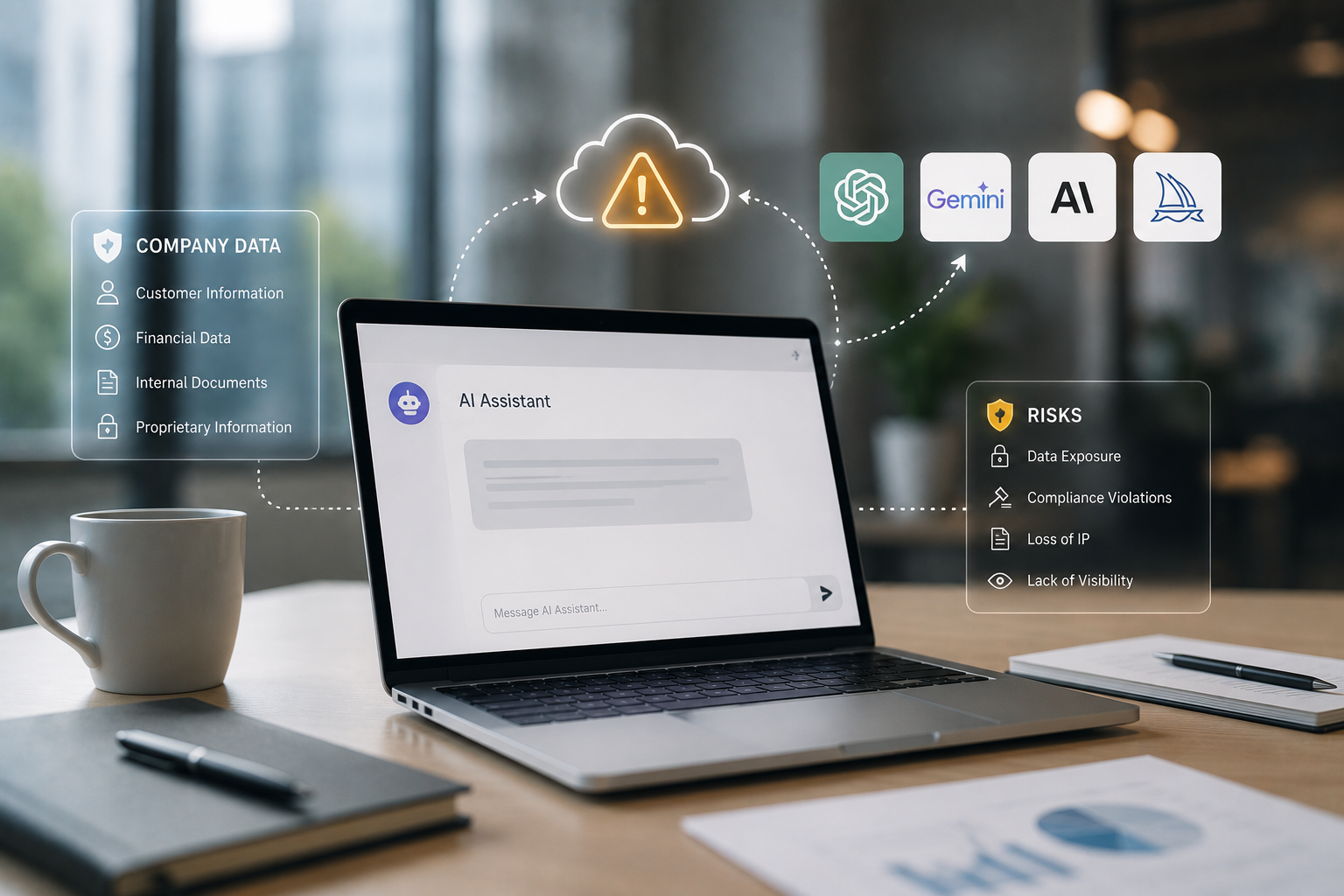
You’ll also discover the scenarios that should concern you. Someone pasted customer data into a prompt. Someone fed proprietary source code into a tool you’ve never evaluated. Someone used AI to draft a contract without understanding that the output might be completely wrong.
These discoveries give you something valuable: reality-based input for policy decisions. You’ll know which use cases are common enough to address explicitly. You’ll know which tools are already embedded in workflows. You’ll know what problems employees are trying to solve and whether you can offer better alternatives.
Without this understanding, you’re writing policy based on assumptions. With it, you’re writing policy based on actual organizational behavior and real risk patterns.
Not All AI Use Carries the Same Risk
One of the biggest mistakes in AI policy is treating all usage identically. The risk profile of using AI to brainstorm blog post ideas is completely different from the risk profile of pasting customer information into a prompt.
Effective policies distinguish between these scenarios. They recognize that risk depends on several factors:
- What data is being input into the tool
- Which specific tool is being used and how it handles that data
- Whether the output will be used directly or reviewed by someone qualified to catch errors
- What happens if the output is wrong, biased, or inappropriate
- Whether the use case involves regulated data or industries with specific compliance requirements
Using AI to help write a first draft of internal documentation about a public product carries minimal risk. The information is already public. The output will be reviewed and edited. If the AI generates something incorrect, someone will catch it before it matters.
Using AI to analyze a spreadsheet containing customer payment information carries substantially more risk. That data may be sensitive or regulated. It’s being sent to a third party. You may not know how long that third party retains it, whether they use it for training, or what happens during a vendor security incident.
Blanket policies that ban all AI use or permit everything miss this nuance entirely. They either create unenforceable rules that employees ignore, or they leave significant gaps that create real organizational risk.
The productive approach is to think about risk categories. What types of data should never leave your control? What types of tasks require human judgment even when AI assistance is involved? What types of outputs need review before they’re used?
Why the Tool Matters as Much as the Use Case
Here’s something that surprises people who haven’t looked closely at AI tools: the same use case can be acceptable with one tool and problematic with another.
Different AI tools have completely different data handling practices. Some retain your inputs to improve their models. Others offer enterprise versions that don’t train on customer data. Some process everything in specific geographic regions. Others won’t tell you where your data goes.
The free consumer version of a tool might have completely different terms than the enterprise version. One keeps your conversation history indefinitely. The other deletes it after 30 days. One offers a data processing agreement that gives you contractual protections. The other offers no such agreement because you’re not actually the customer.
This means you can’t make broad decisions about “AI” as a category. You need criteria for evaluating specific tools. When you’re deciding whether to approve a particular AI tool for organizational use, you should be asking:
- Where is data processed and stored?
- How long is input data retained?
- Will our data be used to train or improve models?
- Can we opt out of training if it happens by default?
- What contractual protections exist for our data?
- What happens to our data if there’s a security incident at the vendor?
- Does the vendor offer enterprise agreements with appropriate terms?
You don’t need to become an AI expert to answer these questions. You need to apply the same vendor evaluation approach you’d use for any third-party service that processes organizational data.
Once you understand these distinctions, you can build an approved tools list with clear guidance about what each tool is appropriate for. The enterprise version of Tool A might be fine for most business content. Tool B might be acceptable for public information only. Tool C might be off limits entirely because it doesn’t offer adequate data protections.
The Accountability Problem: AI Assistance Doesn’t Reduce Human Responsibility
When an employee uses AI to draft a document, write code, or analyze data, that employee remains responsible for the accuracy, appropriateness, and consequences of the output.
This should be obvious, but it needs to be stated explicitly in policy because AI tools can create a psychological distance between the person and the work product. When someone writes a document themselves, they own every word. When AI generates it and they review it, there’s a temptation to treat review as a lighter responsibility than original creation.
That’s a problem because AI tools can produce content that’s plausible but incorrect. They can introduce bias. They can generate output that violates policy, misrepresents facts, or creates legal risk. They do all of this while sounding confident and professional.
Your policy needs to establish that using AI assistance doesn’t transfer accountability from the employee to the tool. If someone uses AI to draft a customer communication, they’re responsible for ensuring it’s accurate and appropriate. If someone uses AI to generate code, they’re responsible for understanding what that code does and whether it’s secure. If someone uses AI to analyze data, they’re responsible for validating the conclusions.
This isn’t about mistrusting AI. It’s about maintaining the same standards of professional responsibility that existed before these tools. You wouldn’t accept “the spell checker didn’t catch it” as an excuse for sending incorrect information to a customer. “The AI generated it” isn’t an acceptable excuse either.
What this means practically is that outputs need appropriate review based on their use and impact. Internal brainstorming requires less scrutiny than customer-facing content. Draft code requires different review than production code. The standard isn’t perfection. It’s professional responsibility proportionate to consequences.
Why Prohibition Alone Usually Fails
Some organizations respond to AI tools by banning them outright. This rarely works as intended.
Employees don’t turn to AI tools randomly. They use them because these tools help them work faster, handle tasks they find difficult, or solve problems they’re facing. If you ban AI without addressing those underlying needs or providing acceptable alternatives, you’re not eliminating the motivation. You’re just pushing usage underground.
People who were openly discussing their use of AI tools will stop mentioning it. They’ll keep using the tools because the tools still help them do their jobs. They just won’t tell you about it anymore. You’ve lost visibility without actually reducing risk.
This doesn’t mean you should permit everything. It means prohibition needs to be paired with either alternatives or clear explanation of why certain activities can’t be supported.
If employees are using AI to generate code because they’re stuck on problems they can’t solve, banning AI without providing additional training, mentoring, or resources doesn’t address why they sought help in the first place. If they’re using AI to handle volume they can’t manage otherwise, banning AI without addressing the workload problem just makes their jobs harder.
Effective policies acknowledge legitimate productivity uses. They either provide approved tools that address those needs safely, or they explain why certain activities carry risks that outweigh the benefits and offer alternative approaches.
The goal isn’t to maximize AI usage or minimize it. The goal is to enable people to work effectively while managing organizational risk appropriately.
Building Practical AI Usage Guidance
If you’re responsible for developing AI policy, here’s where to start:
First, assess current usage. Talk with employees in different departments about what AI tools they’re using and what tasks they’re trying to accomplish. Don’t announce this as an audit. Frame it as input for developing helpful guidance. You need honest information about actual behavior.
Second, establish or use your data classification framework. If you don’t have clear categories for information sensitivity, create basic ones. What’s public? What’s internal but not sensitive? What’s confidential? What’s regulated? Your AI guidance should map to these classifications rather than creating separate categories.
Third, evaluate and approve specific tools for common use cases. Don’t try to approve every possible tool. Start with the ones your assessment revealed people are actually using. Evaluate their data handling practices, create a short approved list, and provide clear guidance about what types of work are appropriate for each tool.
Fourth, establish accountability expectations. Make clear that AI-generated content going to customers, into production systems, or representing the organization must be reviewed by a qualified person who takes responsibility for accuracy and appropriateness. Using AI assistance doesn’t transfer accountability.
Fifth, focus your initial policy on the highest-risk scenarios. Explicitly address situations like entering customer data, regulated information, or proprietary technical details into unapproved tools. You don’t need to address every possible use case in version one. Address the scenarios that create the most significant risk or are common enough to warrant specific guidance.
Include a process for requesting approval of new tools. Employees will discover AI tools you haven’t evaluated. Give them a path to request approval rather than forcing them to choose between productivity and policy compliance.
What Good Enough Looks Like
Your first AI policy will be imperfect. That’s acceptable.
AI tools are evolving rapidly. Usage patterns are changing. New tools appear constantly. You cannot write a comprehensive, permanent policy that addresses every scenario. You can write practical guidance that addresses current reality and establishes principles for handling new situations.
Good enough means you’ve addressed the most common use cases and the highest-risk scenarios. It means employees know which tools are approved for which purposes. It means they understand that data sensitivity matters and that they remain accountable for outputs. It means they have a path to request approval for new tools rather than just using whatever they find.
Good enough does not mean perfect coverage of every edge case. It doesn’t mean you’ve prevented all possible risk. It doesn’t mean the policy will never need updates.
The organizations that do this well treat AI policy as something that evolves. They start with practical guidance based on current reality. They update it as they learn more about usage patterns and risks. They focus on principles and decision criteria rather than trying to enumerate every permitted and prohibited action.
They also recognize that this is fundamentally about the same challenges security teams have always faced: enabling people to work productively while protecting organizational assets and managing risk appropriately. The technology is new. The underlying challenge isn’t.
Start by understanding what’s actually happening in your organization. Build policy around that reality rather than assumptions. Focus on data sensitivity, vendor selection, and human accountability rather than blanket rules. Give people a path to productive and approved usage rather than forcing them to choose between following policy and doing their jobs effectively.
That’s not a perfect approach. But it’s a realistic one, and realistic approaches that you can actually implement are more valuable than perfect approaches that remain theoretical.
Begin with one practical step: Have informal conversations with employees in different departments about what AI tools they’re currently using and what they’re trying to accomplish. You’ll learn more from those conversations than from any amount of theoretical policy development. What you learn will give you the foundation for policy that addresses actual organizational needs rather than imagined scenarios.
Tagged:
Enjoyed this article?
Subscribe to Professor Simon's weekly newsletter for practical insights, career guidance, and leadership lessons delivered every Friday.
A confirmation email will be sent. If you don't receive it, please check your spam or junk folder.
No spam. Unsubscribe anytime.
Prefer to Listen?
Listen to Professor Simon’s IT & Cybersecurity Podcast for practical conversations about cybersecurity careers, certifications, security leadership, and real-world lessons from the field.
Listen on Spotify