What Is Zero Trust Security? A Plain-English Guide for Non-Technical Professionals
What Is Zero Trust Security? A Plain-English Guide for Non-Technical Professionals
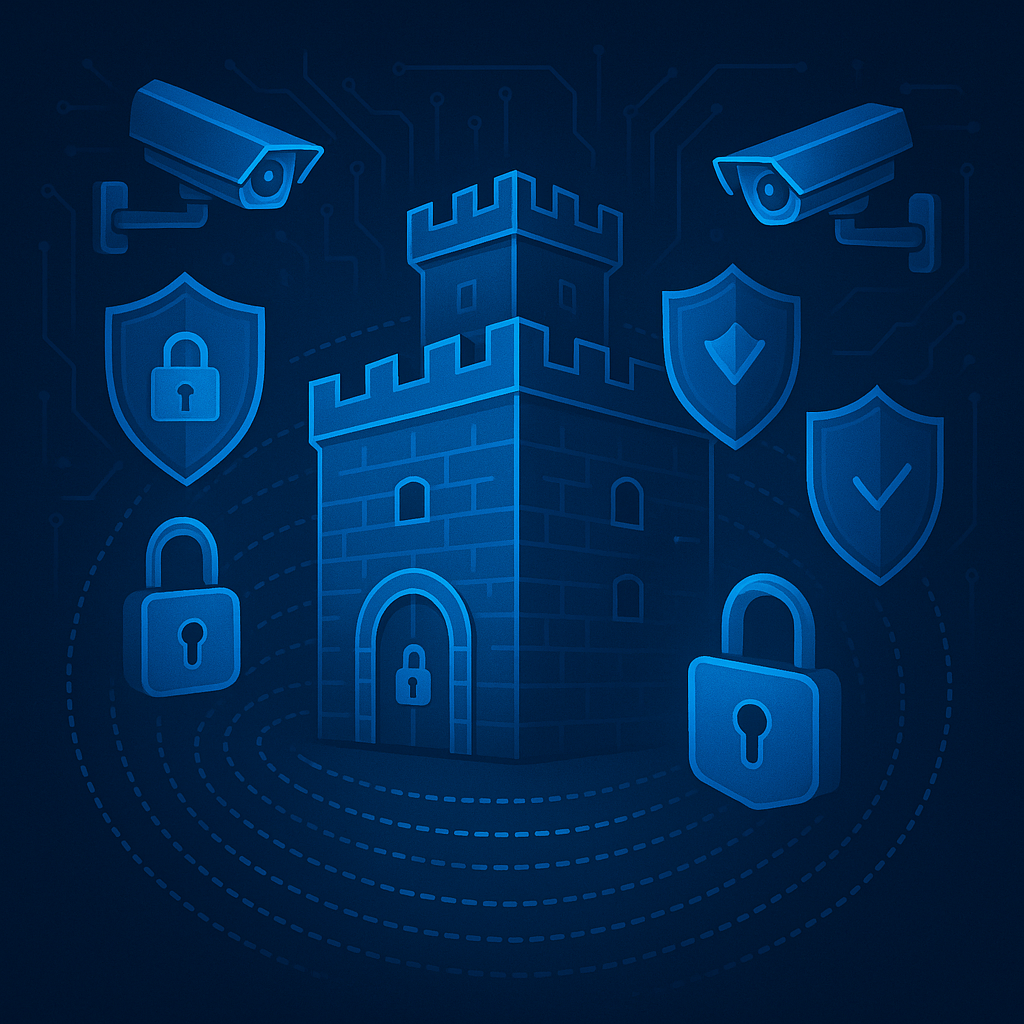
Remember when simply being inside the office network meant you were trusted with access to everything? Those days are over. The traditional security model—where organizations protected their network perimeter like a castle wall, trusting everything inside—no longer works in a world of cloud services, remote work, and sophisticated cyber attacks.
Zero trust security represents a fundamental shift in how organizations think about protecting their systems and data. Instead of assuming that anyone inside the network can be trusted, zero trust operates on a simple principle: never trust, always verify. Every user, device, and application must continuously prove its identity and authorization, regardless of location or network connection.
This isn’t just a technical change—it’s a mindset shift that affects everyone in an organization, from the executive suite to front-line employees. Understanding why this shift matters helps explain those extra login steps, verification prompts, and access restrictions that increasingly shape modern work.
The Problem with Traditional Perimeter Security
Traditional security architecture worked like a medieval castle. Build high walls, post guards at the gate, and once someone passes through, they can move freely inside. For decades, this perimeter-based approach seemed sufficient. Firewalls protected the network boundary, and anyone inside—whether physically in the office or connected via VPN—received implicit trust.
This model had a critical flaw: it assumed that threats came exclusively from outside. Once attackers breached the perimeter through phishing, stolen credentials, or compromised devices, they could move laterally through the network, accessing systems and data with minimal resistance.
Modern work environments shattered this perimeter entirely. Cloud services host applications and data outside traditional network boundaries. Employees work from home, coffee shops, and airports. Partners and contractors need access to specific systems. The castle wall dissolved, but many organizations continued operating as if it existed.
High-profile breaches repeatedly demonstrated the consequences. Attackers who gained initial access through a single compromised account moved freely through networks, escalating privileges and exfiltrating sensitive data over weeks or months. The perimeter provided protection at the gate but nothing inside.
Understanding Zero Trust Architecture
Zero trust eliminates the concept of a trusted internal network. Instead, every access request—whether from an employee at headquarters or a device halfway around the world—must be verified based on multiple factors before granting access to specific resources.
The NIST 800-207 framework, the authoritative standard for zero trust architecture, establishes three core principles that guide implementation:
Continuously verify means that trust isn’t granted once at login and maintained indefinitely. Instead, systems continuously evaluate the security posture of users and devices throughout their session. Context changes—like accessing unusually sensitive data or connecting from a new location—trigger additional verification steps.
Limit the blast radius recognizes that breaches will occur. Zero trust architectures compartmentalize resources so that compromising one account or system doesn’t provide access to everything else. This concept, called microsegmentation, restricts lateral movement and contains damage.
Assume breach fundamentally changes security design. Rather than focusing solely on preventing attacks, zero trust assumes attackers will gain some level of access. This mindset drives continuous monitoring, threat detection, and rapid response capabilities that identify and contain compromises quickly.
These principles work together to create a security model resilient to modern threats while supporting the flexibility organizations need for cloud adoption and remote work.
How Zero Trust Affects Your Daily Work
For most employees, zero trust manifests in several practical ways that shape their daily workflows.
Multi-factor authentication becomes mandatory rather than optional. Beyond username and password, systems require a second verification method—a code from a mobile app, a hardware security key, or a biometric scan. While this adds an extra step, it dramatically reduces the risk of account compromise from stolen credentials, the leading cause of security breaches.
Conditional access policies adjust security requirements based on context. Accessing routine files from a company laptop on the office network might require only standard authentication. The same employee accessing sensitive financial data from a personal device at a coffee shop faces additional verification steps. These policies aren’t arbitrary—they respond to measurable risk factors including device security posture, location, and sensitivity of requested resources.
Device health checks ensure that only compliant devices access organizational resources. Systems verify that laptops and mobile devices have current security updates, active anti-malware protection, and required configurations before granting access. Employees with outdated systems receive prompts to update before proceeding.
Least privilege access restricts permissions to only what each person needs for their specific role. A marketing manager doesn’t automatically receive access to engineering systems or financial records. When legitimate business needs require additional access, clear request and approval processes replace blanket permissions.
These changes sometimes create friction, particularly during initial transition periods. An employee accustomed to seamless access may feel frustrated by additional verification prompts or access denials. Understanding the reasoning behind these measures—that they protect both the organization and individual employees from significant security risks—helps frame temporary inconvenience as necessary protection.
The Technology Components Behind Zero Trust
While zero trust is primarily a security strategy rather than a specific product, several technology categories work together to implement its principles.
Identity and Access Management Systems
IAM platforms form the foundation of zero trust by managing who has access to what resources under which conditions. These systems integrate authentication methods, manage user permissions, enforce access policies, and maintain detailed logs of all access activities.
Modern IAM includes sophisticated capabilities like risk-based authentication, which dynamically adjusts security requirements based on real-time threat intelligence and behavioral analysis. If a user’s account shows unusual activity patterns—logging in from a new country, accessing systems at odd hours, or requesting unusual data—the system can automatically require additional verification or temporarily block suspicious access.
Network Microsegmentation
Rather than treating the internal network as a trusted zone, microsegmentation divides it into isolated segments with controlled access between them. This prevents compromised accounts or devices from moving freely through the environment.
In practice, microsegmentation means that even if an attacker compromises an employee workstation, they cannot automatically access servers, databases, or other systems. Each connection request must be authenticated and authorized, dramatically limiting an attacker’s ability to explore and exploit the network.
Endpoint Detection and Device Security
Zero trust implementations continuously assess the security posture of devices requesting access. Systems check whether devices have current security patches, active endpoint protection, appropriate firewall configurations, and no indicators of compromise before allowing connections.
Employees with devices failing these checks receive notifications about required updates or security issues that must be addressed before access is restored. This ensures that only properly secured devices can access organizational resources, reducing the risk that compromised devices become attack vectors.
Continuous Monitoring and Analytics
Zero trust requires visibility into all access activities and the ability to detect anomalies that might indicate compromise or policy violations. Security information and event management systems collect logs from across the environment, applying analytics and machine learning to identify suspicious patterns.
This continuous monitoring enables rapid detection and response when threats emerge, fulfilling the “assume breach” principle by recognizing that perfect prevention is impossible but swift detection and containment are achievable.
Why Organizations Are Adopting Zero Trust Now
Several converging factors drive widespread zero trust adoption across organizations of all sizes and industries.
The shift to remote and hybrid work eliminated the feasibility of perimeter-based security. When employees work from anywhere on any network, the concept of “inside” and “outside” the corporate network becomes meaningless. Zero trust provides a security model that works regardless of user location or network connection.
Cloud service adoption accelerated this trend. Applications and data that once resided behind corporate firewalls now exist in SaaS platforms, cloud infrastructure, and distributed environments. Zero trust principles extend protection to these cloud resources without requiring complex VPN configurations or network extensions.
The sophistication of cyber threats continues escalating. Attackers routinely compromise credentials through phishing, exploit unpatched vulnerabilities, and use social engineering to gain initial access. Once inside traditional perimeter defenses, attackers historically moved freely. Zero trust’s continuous verification and microsegmentation dramatically reduce attacker success rates even after initial compromise.
Compliance requirements increasingly mandate stronger access controls and continuous monitoring. Regulations like GDPR, HIPAA, and PCI-DSS require organizations to demonstrate appropriate data protection measures. Zero trust architectures provide the detailed access logs, policy enforcement, and audit capabilities that satisfy regulatory requirements.
Common Questions and Concerns
Does zero trust mean employees are never trusted?
Not at all. Zero trust means that trust is verified continuously rather than granted once and assumed indefinitely. Legitimate employees with properly secured devices face minimal friction during normal work. Additional verification occurs primarily in higher-risk scenarios—unusual locations, sensitive data access, or atypical behavior patterns.
Will zero trust slow down my work?
Well-implemented zero trust should have minimal impact on daily workflows. Modern authentication methods like biometrics and hardware security keys complete verification in seconds. Single sign-on capabilities mean users authenticate once and access multiple systems without repeated logins. Initial setup requires some adjustment, but ongoing experience should remain smooth.
What happens when legitimate access is blocked?
Organizations implementing zero trust establish clear escalation paths for resolving access issues. IT help desks can quickly investigate why access was denied—whether due to device compliance issues, expired credentials, or policy restrictions—and either restore access or help employees address the underlying problem.
Is zero trust only for large enterprises?
Zero trust principles apply to organizations of all sizes. Cloud-based tools and managed service providers make zero trust implementation accessible without requiring large IT security teams or extensive infrastructure investments. Small and mid-size organizations often adopt zero trust more easily than large enterprises because they have less legacy infrastructure to migrate.
Can we implement zero trust gradually?
Absolutely. Most organizations adopt zero trust in phases, starting with high-impact, lower-disruption changes like multi-factor authentication and conditional access policies. As capabilities mature, they expand to network microsegmentation, endpoint security requirements, and advanced monitoring. This phased approach balances security improvements with organizational capacity for change.
Preparing for Zero Trust in Your Organization
When organizations announce zero trust initiatives, employees can take several steps to prepare for the transition and minimize disruption.
Understand that additional security measures exist to protect both the organization and individual employees. Compromised accounts can damage careers and personal reputations, not just organizational security. The extra verification steps serve everyone’s interests.
Keep devices updated and compliant. Many zero trust access issues stem from outdated operating systems, missing security patches, or disabled security features. Maintaining device health ensures uninterrupted access.
Use strong, unique passwords for each account, preferably managed through a password manager. Even with multi-factor authentication, credential security remains important. Reusing passwords across accounts creates unnecessary risk.
Report unusual authentication requests immediately. If receiving unexpected multi-factor authentication prompts when not attempting to log in, this might indicate that someone else has obtained credentials and is attempting unauthorized access. Prompt reporting enables quick response.
Ask questions when access restrictions seem unclear. IT and security teams recognize that clear communication about policies and requirements helps everyone adapt successfully. Questions about why certain access patterns require additional verification or how to request appropriate permissions receive helpful responses rather than dismissal.
The Future of Workplace Security
Zero trust represents more than a temporary trend—it reflects a permanent shift in how organizations approach security in distributed, cloud-enabled environments. As the security perimeter continues dissolving, continuous verification becomes the only viable model for protecting resources while enabling business flexibility.
Future developments will likely make zero trust even more seamless. Passwordless authentication using biometrics and hardware security keys will eliminate the most common security weak point—passwords themselves. Artificial intelligence and machine learning will enable more sophisticated risk assessments that distinguish between legitimate unusual behavior and actual threats. Integration between security tools will provide more complete visibility and faster response to emerging risks.
For employees and professionals across all fields, understanding zero trust helps frame why modern security practices exist and how they protect everyone involved. The extra verification steps and access controls aren’t security theater or bureaucratic obstacles—they represent necessary adaptations to the reality of modern cyber threats and distributed work environments.
Organizations that successfully implement zero trust don’t just improve their security posture. They build resilient systems capable of supporting flexible work arrangements, cloud adoption, and digital transformation while maintaining appropriate protection for sensitive data and systems. This balance between security and usability defines effective zero trust implementations.
Making Zero Trust Work for Everyone
Zero trust success requires more than just deploying new technology. It requires helping everyone in the organization understand why these changes matter and how they contribute to collective security.
Security teams must communicate clearly about what’s changing and why. Rather than simply mandating new requirements, effective communication explains the threats being addressed and how new measures provide protection. Transparency builds buy-in and reduces resistance.
Organizations should establish feedback channels where employees can report friction points or suggest improvements. Zero trust policies sometimes create unintended barriers to legitimate work. Regular feedback helps security teams refine policies to maintain strong security while supporting necessary business activities.
Training programs should address practical questions: what to do when access is denied, how to recognize phishing attempts that might compromise credentials, and how to use new authentication methods effectively. This practical guidance reduces confusion and support burden.
Leadership commitment signals that security isn’t just an IT concern but a fundamental business priority. When executives model good security practices—using multi-factor authentication, keeping devices updated, and following access policies—it reinforces that everyone shares responsibility for organizational security.
Zero trust transforms security from a perimeter defense strategy into a comprehensive approach that protects resources wherever they exist and enables secure access from anywhere. For professionals at all levels, understanding this transformation helps make sense of the evolving security landscape and positions them to work effectively within modern security frameworks.
The shift from implicit trust to continuous verification represents the new normal for organizational security. Rather than resisting this change, understanding its necessity and learning to work within zero trust frameworks positions professionals for success in increasingly security-conscious work environments.
Enjoyed this article?
Subscribe to Professor Simon's weekly newsletter for practical insights, career guidance, and leadership lessons delivered every Friday.
A confirmation email will be sent. If you don't receive it, please check your spam or junk folder.
No spam. Unsubscribe anytime.
Prefer to Listen?
Listen to Professor Simon’s IT & Cybersecurity Podcast for practical conversations about cybersecurity careers, certifications, security leadership, and real-world lessons from the field.
Listen on Spotify