Why Your Email Password Isn’t Enough: Understanding Two-Factor Authentication in Real Life
Why Your Email Password Isn’t Enough: Understanding Two-Factor Authentication in Real Life
A 20-character password should be unbreakable. That’s what most people believe. Yet accounts with complex passwords get compromised every single day—not because hackers cracked the password, but because they didn’t need to.
The reality is straightforward: passwords alone cannot protect your accounts. Whether you’re a college student managing financial aid information, a recent graduate building a professional network, or an early-career professional handling sensitive work data, understanding why passwords fail and how two-factor authentication protects you is no longer optional. It’s a fundamental career skill.
This guide explains the mechanics of account compromise, why strong passwords provide a false sense of security, and how to implement authentication methods that actually work against real-world attacks.
How Accounts Actually Get Compromised
Most people imagine hackers sitting in dark rooms running sophisticated password-cracking software. That’s not how it happens.
The vast majority of account compromises occur through credential theft, not password cracking. Attackers use phishing emails with fake login pages that look identical to legitimate sites. When someone enters their credentials on a fake Gmail or Outlook page, those credentials are captured instantly. The password complexity doesn’t matter because the user voluntarily provided it.
Data breaches represent another major vector. Companies experience breaches regularly, exposing millions of passwords at once. Even if your password is unique and strong, it’s still stored in a database. When that database gets compromised, your credentials appear on the dark web for sale or free distribution.
Credential stuffing attacks exploit password reuse. Attackers take leaked credentials from one breach and systematically try them across thousands of other sites. If you used the same password for your university email and a gaming forum that got breached, both accounts are now vulnerable.
None of these attack methods involve actually breaking your password. They bypass it entirely.
The False Security of Password Complexity
Organizations and security guides emphasize creating complex passwords: uppercase, lowercase, numbers, special characters, minimum length requirements. This advice addresses one specific threat—brute force password guessing—that barely exists in practice.
Modern authentication systems lock accounts after multiple failed login attempts. An attacker trying random password combinations gets blocked after five or ten attempts. The mathematical complexity of your password becomes irrelevant because the system prevents enough guesses to matter.
What complexity cannot defend against is the human factor. A 20-character password with symbols provides zero protection when you type it into a fake login page. It offers no defense when a company database gets breached. It doesn’t help when malware logs your keystrokes.
Password managers improve this situation by generating and storing unique passwords for every account, preventing credential reuse. They’re essential tools. But they still don’t address the fundamental vulnerability: passwords are static credentials that can be stolen and reused by anyone who obtains them.
What Two-Factor Authentication Actually Does
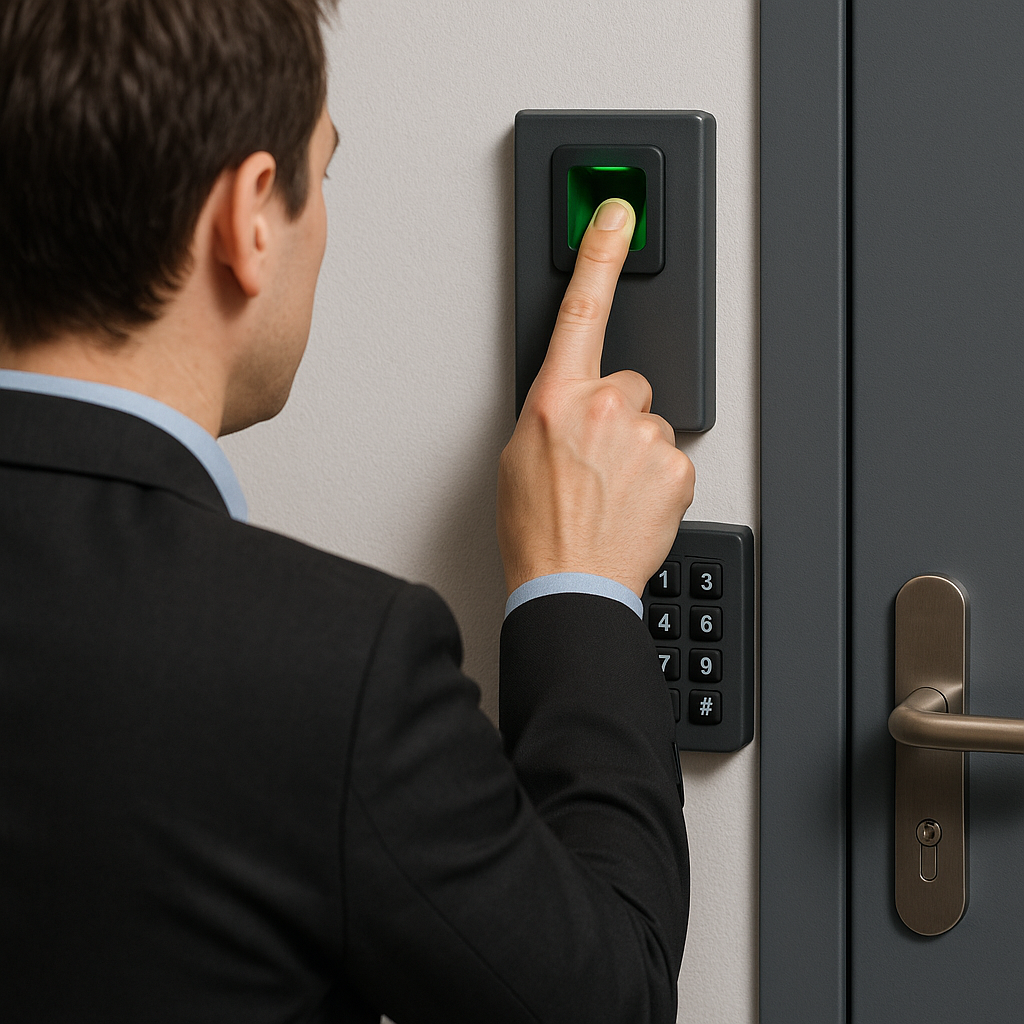
Two-factor authentication adds a second verification step after you enter your password. This second factor typically comes from something you have (your phone, a hardware key) rather than something you know (a password).
The critical distinction is that the second factor cannot be easily replicated or reused by an attacker who steals your password. Even if someone has your credentials, they cannot access your account without also having your physical device or biometric signature.
Microsoft research demonstrated that implementing multi-factor authentication reduces the risk of account compromise by 99.9%. This isn’t marketing hyperbole—it’s the measured outcome across millions of enterprise accounts. When credentials are leaked in a breach, accounts with MFA enabled show a 98.56% reduction in successful compromise attempts compared to password-only accounts.
Google’s analysis of two-step verification found that SMS-based codes stopped 100% of automated bot attacks, 96% of bulk phishing attacks, and 75% of targeted attacks. The protection isn’t theoretical. It’s measurable and dramatic.
Understanding Different Types of Two-Factor Authentication
Not all two-factor authentication methods provide equal protection. The security and usability vary significantly across approaches.
SMS Text Message Codes
SMS authentication sends a one-time code to your phone via text message. You enter this code after your password to complete login.
This method effectively stops automated attacks and credential stuffing because attackers don’t have access to your phone. However, SMS has documented vulnerabilities. SIM swapping attacks involve convincing your mobile carrier to transfer your number to a new SIM card controlled by the attacker. Once they have your number, they receive your authentication codes.
SMS messages can also be intercepted through various technical methods, though this requires targeted effort. For this reason, security standards like NIST SP 800-63B now deprecate SMS as a primary authentication factor for high-security environments.
SMS remains vastly better than no second factor at all. It’s accessible, requires no additional apps, and provides strong protection against the most common attacks. But better options exist.
Authenticator App Codes
Authenticator apps like Google Authenticator, Microsoft Authenticator, or Authy generate time-based one-time passwords (TOTP) directly on your device. These six-digit codes change every 30 seconds.
TOTP codes are generated using a shared secret established during setup. The code generation happens offline—no internet connection required. This means attackers cannot intercept the codes in transit like they might with SMS.
Authenticator apps provide stronger security than SMS at the cost of slightly more setup complexity. You must install the app and scan a QR code for each account. If you lose your device without backing up the app, you may lose access to your accounts temporarily.
For most students and professionals, TOTP authenticator apps represent the optimal balance of security, accessibility, and ease of use.
Push Notifications with Number Matching
Modern push-based MFA sends a notification to your registered device asking you to approve or deny a login attempt. Advanced implementations include number matching, where you must enter a number displayed on the login screen into the app on your phone.
This approach prevents MFA fatigue attacks, where attackers repeatedly trigger authentication prompts hoping you’ll accidentally approve one. Number matching ensures you’re actively engaged and verifying the specific login attempt.
Push authentication with number matching is becoming the standard for workplace environments. It’s faster than typing codes and inherently resistant to many phishing techniques.
Hardware Security Keys
Hardware keys like YubiKey or Google Titan use physical USB or NFC devices that must be present during login. These keys implement the FIDO2/WebAuthn standard, which is cryptographically resistant to phishing.
When you use a hardware key, the authentication is bound to the specific website domain. Even if you’re on a fake login page that looks identical to the real site, the key won’t work because the domain doesn’t match. This makes hardware keys the most secure form of two-factor authentication currently available.
The primary barrier is cost and the risk of losing the physical device. Best practice involves registering at least two keys—one primary and one backup—for each account.
Passkeys: The Future of Authentication
Passkeys represent a fundamental shift away from passwords entirely. Rather than adding a second factor to a password, passkeys replace the password with cryptographic keys stored on your device.
When you set up a passkey, your device generates a unique public-private key pair. The public key is stored by the service (like Google or Microsoft), while the private key never leaves your device. When you log in, you authenticate using biometrics (fingerprint or face recognition) or a device PIN, and your device uses the private key to prove your identity.
Passkeys are inherently phishing-resistant because they work only with the specific service they were created for. They cannot be typed into a fake website. They cannot be stolen in a data breach because the service never receives your private key. They combine the security of hardware keys with the convenience of biometric authentication.
Major platforms including Google, Microsoft, and Apple have implemented passkey support. As adoption grows, passkeys will likely become the default authentication method, making traditional passwords and even two-factor codes obsolete.
Real Threats Facing Students and Early Professionals
The belief that “ordinary people” aren’t valuable targets is dangerous. State-sponsored groups like APT28 (Fancy Bear) and APT29 (Cozy Bear) have documented patterns of targeting student activists, journalists, and early-career professionals working on politically sensitive topics.
Universities report that student accounts are frequent targets for credential harvesting. Financial aid information, research data, and academic records all have value to attackers. A compromised student email account can also provide access to associated services like cloud storage, university systems, and financial accounts.
For recent graduates and early professionals, email compromise can have immediate career consequences. Attackers who gain access to your email can:
- Impersonate you to colleagues, clients, or recruiters
- Access LinkedIn, job search platforms, and professional networks
- Steal intellectual property or client information
- Use your reputation to launch additional attacks against your contacts
- Lock you out of your accounts through password changes
The financial impact can be severe. Identity theft, fraudulent credit applications, and unauthorized purchases frequently follow email account compromise. The time required to recover—filing reports, disputing charges, regaining account access—can derail job searches or damage new employment relationships.
Why Smart People Still Get Hacked
Intelligence doesn’t protect against social engineering. This is not a comfortable truth, but it’s a critical one to understand.
Sophisticated phishing attacks exploit psychological triggers—urgency, fear, authority, and curiosity—that bypass logical reasoning. An email claiming your account will be suspended unless you verify your credentials immediately triggers an emotional response before your analytical mind engages.
Military intelligence officers, cybersecurity professionals, and executives fall for phishing attacks. Not because they lack knowledge, but because the attacks are designed to circumvent conscious evaluation. They arrive at moments of distraction, stress, or information overload.
The most effective defense isn’t believing you’re too smart to be fooled. It’s implementing technical controls—like two-factor authentication—that work even when judgment fails.
Implementing Two-Factor Authentication Effectively
Setting up two-factor authentication takes minutes but provides protection for years. The process varies by service, but the general approach is consistent.
Primary Email Accounts
Your email account is the master key to your digital life. It provides password reset access to virtually every other service. Securing email with strong two-factor authentication should be your first priority.
For Gmail, navigate to your Google Account settings, select Security, and enable 2-Step Verification. Choose an authenticator app as your primary method and add SMS as a backup option. Download backup codes and store them in a secure location separate from your devices.
For Outlook/Microsoft accounts, go to Security settings, select Two-step verification, and follow the setup process. Microsoft recommends using the Microsoft Authenticator app with number matching for optimal security.
Professional and Educational Accounts
Many universities and employers now mandate two-factor authentication for institutional accounts. Even if not required, enabling it protects against credential theft that could expose sensitive data or damage your professional reputation.
Check your institution’s IT security documentation for recommended methods and setup instructions. Some organizations provide hardware keys or specific authenticator app requirements.
Personal Accounts
Prioritize two-factor authentication for accounts connected to finances, identity, or professional reputation. This includes banking apps, investment platforms, cloud storage, social media accounts used professionally, and any site containing personal or identifying information.
Backup and Recovery Planning
The most common objection to two-factor authentication is fear of losing access if a device is lost or broken. This is a legitimate concern, but it’s addressed through proper backup planning.
When setting up two-factor authentication, services provide backup codes, one-time use codes that work if your primary authentication method is unavailable. Download these codes and store them in a secure location. Print them and keep a copy in a safe or with important documents. Save them to a password manager if you use one.
Register multiple authentication methods where possible. If you use an authenticator app as your primary method, add SMS as a backup. Register more than one phone number if the service allows it.
For hardware keys, always register at least two keys per account—one that stays with you and one stored securely at home.
Common Mistakes to Avoid
Using the same second factor for everything creates a single point of failure. If your phone is lost or stolen and you rely exclusively on SMS for every account, you’ve suddenly lost access to everything simultaneously. Diversify your authentication methods and ensure you have backup options.
Ignoring backup codes until you need them is a costly mistake. Services generate these codes during setup and may not allow you to view them again later. Save them immediately.
Disabling two-factor authentication because it “takes too long” or “is inconvenient” trades minimal effort for significant risk. Modern implementations like biometric authentication and push notifications take seconds. The inconvenience argument held some validity a decade ago but no longer reflects current technology.
When Two-Factor Authentication Isn’t Enough
Two-factor authentication dramatically improves security, but it’s not absolute protection. Sophisticated attackers can still compromise accounts through session hijacking, where they steal your active login session after you’ve completed authentication.
Browser security matters. Using updated browsers, avoiding suspicious extensions, and clearing sessions when using shared computers all complement two-factor authentication.
Phishing-resistant methods like passkeys and hardware keys provide stronger protection than TOTP codes or SMS, which can still be compromised if an attacker tricks you into providing them in real time through a fake login page.
Understanding these limitations doesn’t diminish the value of two-factor authentication. It means recognizing that security is layered. No single measure is perfect, but each layer significantly reduces overall risk.
Taking Action Today
Two-factor authentication is no longer optional for anyone who uses email professionally, stores important information online, or cares about protecting their identity and career prospects. The threats are real, the attacks are common, and the consequences are significant.
Start with your primary email account today. The setup process takes less than ten minutes and provides immediate protection against the vast majority of account compromise attempts.
Then extend protection to financial accounts, professional networks, cloud storage, and any other service you would struggle to lose access to or have publicly compromised.
The investment of time now prevents hours of recovery work later—and potentially protects your reputation, career opportunities, and financial security. That’s not fearmongering. It’s the documented reality of digital security in 2024.
Your 20-character password is excellent. It just isn’t enough by itself. Add the second layer. It matters more than most people realize until it’s too late.
Enjoyed this article?
Subscribe to Professor Simon's weekly newsletter for practical insights, career guidance, and leadership lessons delivered every Friday.
A confirmation email will be sent. If you don't receive it, please check your spam or junk folder.
No spam. Unsubscribe anytime.
Prefer to Listen?
Listen to Professor Simon’s IT & Cybersecurity Podcast for practical conversations about cybersecurity careers, certifications, security leadership, and real-world lessons from the field.
Listen on Spotify