The Ultimate Guide to Digital Forensics: Tools, Techniques, and Best Practices
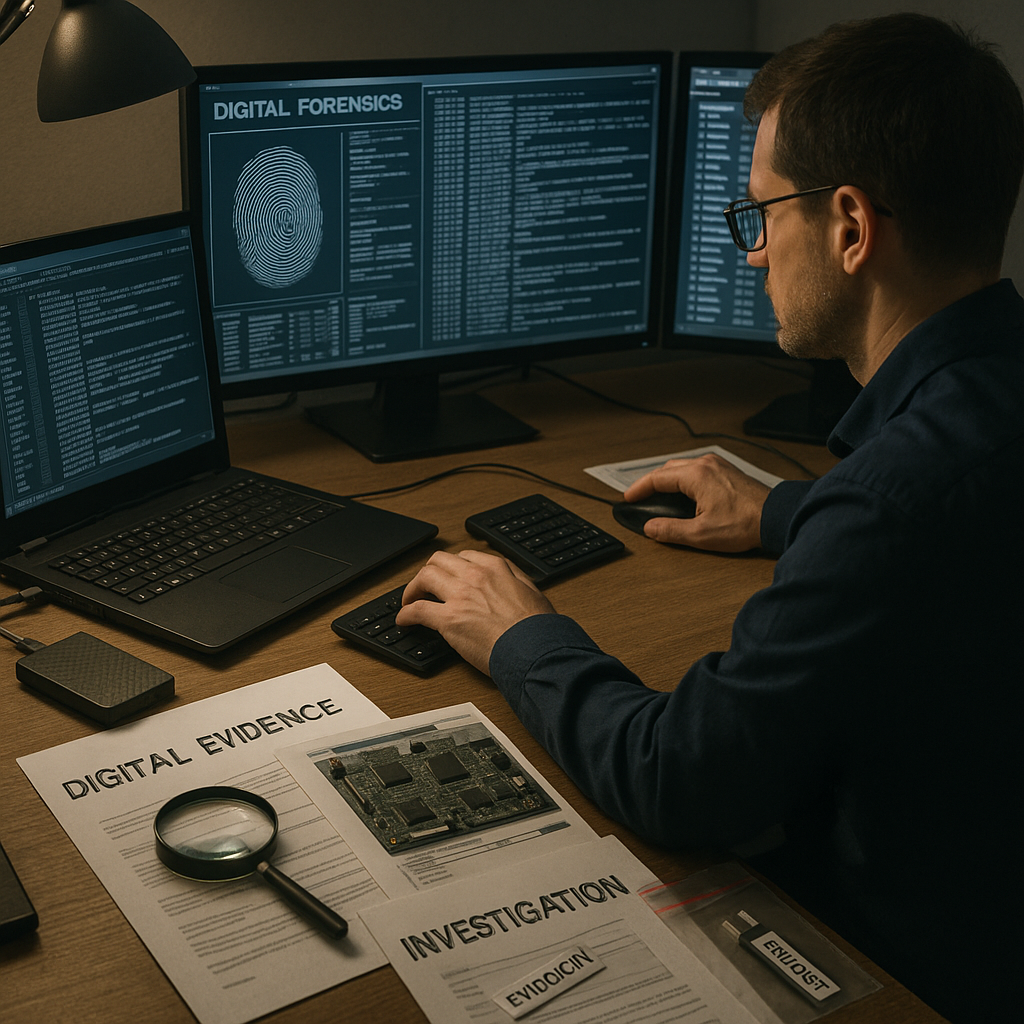
Digital Forensics Fundamentals: A Beginner’s Guide
Digital forensics has become an essential discipline in cybersecurity, providing the methodologies and tools needed to investigate digital crimes, security incidents, and policy violations. For students and professionals looking to enter this field, understanding the core principles, techniques, and challenges of digital forensics is crucial. This comprehensive guide explores the fundamentals of digital forensics, from evidence collection to analysis and reporting.
What Is Digital Forensics?
Digital forensics is the application of scientific methods to identify, collect, preserve, analyze, and present digital evidence. This discipline combines elements of computer science, information technology, and legal procedures to investigate incidents involving digital devices and systems. The goal is to recover and examine digital evidence in a manner that maintains its integrity for potential legal proceedings.
The field encompasses several specialized areas:
- Computer forensics: Focuses on evidence from computers, storage media, and file systems
- Mobile device forensics: Examines smartphones, tablets, and other portable devices
- Network forensics: Analyzes network traffic, logs, and communication patterns
- Memory forensics: Recovers evidence from volatile system memory
- Cloud forensics: Investigates evidence stored in cloud environments
Core Principles of Digital Forensics
Successful digital forensic investigations follow established principles that ensure evidence validity and reliability.
The Forensic Process Model
Digital forensic investigations typically follow a structured approach:
- Identification: Recognizing potential sources of evidence
- Preservation: Securing evidence through proper handling techniques
- Collection: Gathering digital evidence using forensically sound methods
- Examination: Processing collected data to extract relevant information
- Analysis: Interpreting the results to reconstruct events and answer investigative questions
- Presentation: Documenting findings in a clear, objective manner for stakeholders
- Decision: Taking appropriate action based on investigative findings
This methodical approach helps maintain the chain of custody—the documented history of evidence handling—which is crucial for legal proceedings.
Evidence Preservation and Handling
Digital evidence is fragile and easily altered. Forensic examiners must follow strict procedures:
- Create forensic images (bit-by-bit copies) of original evidence
- Use write-blockers to prevent accidental modification
- Document all actions taken with evidence
- Maintain proper chain of custody documentation
- Store evidence in a secure, controlled environment
- Use validated tools and methods for analysis
The concept of “forensic soundness” requires that evidence collection and analysis methods don’t change the original evidence in any way that can’t be accounted for or explained.
Legal and Regulatory Considerations
Digital forensics operates within legal frameworks that vary by jurisdiction. Key considerations include:
- Search and seizure limitations
- Privacy laws and regulations
- Admissibility requirements for evidence
- Expert witness qualifications
- Data protection and retention policies
Practitioners must understand the relevant laws in their jurisdiction to ensure their work can withstand legal scrutiny. This includes proper authorization for investigations, whether through warrants, court orders, or organizational policies.
Essential Digital Forensics Tools
Digital forensic investigations rely on specialized software and hardware tools designed to collect, preserve, and analyze digital evidence without altering it.
Forensic Imaging Tools
Creating forensically sound duplicates of evidence is the foundation of proper investigation. Key tools include:
FTK Imager
AccessData’s FTK Imager creates forensic images of drives and memory while maintaining evidence integrity. It supports various image formats and can mount images for preview without modification.
Key features:
- Creation of forensic images in multiple formats (E01, RAW)
- Memory capture capabilities
- File hash verification
- Write-protection mechanisms
dd and dcfldd
These command-line utilities create bit-by-bit copies of storage devices:
# Basic dd imaging command
dd if=/dev/sda of=evidence.img bs=512 conv=noerror,sync

# Enhanced imaging with dcfldd (with hashing)
dcfldd if=/dev/sda hash=md5,sha256 hashlog=hashes.txt of=evidence.img bs=512
The command-line nature makes these tools versatile for various scenarios, particularly in Linux environments.
Guymager
This open-source imaging tool provides a user-friendly GUI for Linux forensic distributions:
- Supports multiple image formats
- Computes MD5 and SHA hashes during acquisition
- Performs bad sector management
- Offers multi-threaded operations for faster imaging
Forensic Analysis Suites
Comprehensive toolkits help examiners analyze collected evidence efficiently.
EnCase Forensic
Widely used in law enforcement and corporate investigations, EnCase offers:
- Complete evidence processing workflows
- Timeline analysis features
- Email and internet artifact recovery
- Script and programming capabilities
- Court-accepted reporting features
Autopsy (The Sleuth Kit)
This open-source platform provides many professional-grade features:
- Multi-user case management
- Timeline analysis
- Keyword searching
- Web artifact analysis
- Registry analysis
- Media extraction and analysis
X-Ways Forensics
Known for its efficiency and powerful features:
- Fast processing of large datasets
- Advanced file system analysis
- Integrated disk editor
- Automated registry analysis
- Extensive file type support
Memory Analysis Tools
Volatile memory contains valuable evidence that disappears when a system powers down.
Volatility Framework
This open-source memory forensics framework supports multiple operating systems:
# Example commands for analyzing a memory dump
volatility -f memory.dmp imageinfo
volatility -f memory.dmp --profile=Win10x64_19041 pslist
volatility -f memory.dmp --profile=Win10x64_19041 netscan
The framework can identify running processes, network connections, loaded DLLs, and malware artifacts in memory dumps.
Specialized Tools
Various specialized tools address specific forensic needs:
- Mobile device analysis: Cellebrite UFED, Oxygen Forensic Detective
- Network traffic analysis: Wireshark, NetworkMiner
- Password recovery: Hashcat, John the Ripper, Passware
- Timeline analysis: log2timeline/Plaso
- Data carving: Foremost, PhotoRec
The selection of appropriate tools depends on the specific requirements of each investigation, the types of systems involved, and the nature of the incident being investigated.
Digital Forensics Techniques and Methodologies
Beyond tools, forensic examiners must master various techniques to extract and interpret evidence effectively.
File System Analysis
Understanding how different file systems store data is essential for forensic recovery:
- NTFS (Windows): Master File Table (MFT) analysis, alternate data streams
- Ext2/3/4 (Linux): Inode examination, journal analysis
- APFS (Apple): Snapshot analysis, encryption handling
- FAT32/exFAT: File allocation table recovery
Key aspects of file system analysis include:
- Recovering deleted files
- Analyzing file metadata (creation, modification, access times)
- Identifying file system artifacts
- Examining slack space and unallocated clusters
Artifacts Analysis
Operating systems create numerous artifacts during normal operation that provide investigative value:
Windows Artifacts
- Registry: User activities, installed software, connected devices
- Event logs: System events, application logs, security audits
- Prefetch/Superfetch: Program execution history
- Jump Lists: Recently accessed documents and applications
- Recycle Bin: Deleted file recovery
- Browser history and cache: Web activity reconstruction
Linux Artifacts
- System logs (/var/log): Authentication attempts, system events
- Bash history: Command execution records
- Cron jobs: Scheduled task analysis
- User configuration files: Application and system settings
Timeline Analysis
Creating chronological timelines helps reconstruct events and identify patterns. Timeline analysis involves:
- Collecting timestamps from multiple sources
- Normalizing time zones and formats
- Correlating events across different systems
- Identifying gaps or inconsistencies
- Visualizing activity patterns
Tools like log2timeline/Plaso automate much of the timeline creation process by extracting timestamps from various artifacts and presenting them in a unified format.
Data Recovery and Carving
Deleted files and fragments often remain recoverable through specialized techniques:
- File carving: Recovering files based on headers, footers, and data structures
- Unallocated space analysis: Examining areas of storage marked as available
- Slack space examination: Analyzing unused portions of allocated clusters
- Volume shadow copy analysis: Recovering previous versions of files
Building a Career in Digital Forensics
Entering the digital forensics field requires a combination of technical skills, formal education, and practical experience.
Educational Pathways
Several routes lead to careers in digital forensics:
- Bachelor’s degrees in cybersecurity, computer science, or digital forensics
- Master’s degrees specializing in digital forensics or cyber investigations
- Professional certifications validating specific skills
- Self-study combined with hands-on practice
Key Certifications
Professional certifications demonstrate competency and commitment to the field:
- EnCase Certified Examiner (EnCE): Validates proficiency with EnCase forensic software
- GIAC Certified Forensic Analyst (GCFA): Focuses on incident response and computer forensics
- Certified Computer Examiner (CCE): Vendor-neutral certification covering forensic principles
- AccessData Certified Examiner (ACE): Demonstrates expertise with FTK suite
- CHFI (Computer Hacking Forensic Investigator): Entry-level certification covering fundamentals
Essential Skills
Successful forensic examiners develop these capabilities:
- Technical proficiency with operating systems, file systems, and networks
- Attention to detail and methodical documentation habits
- Analytical thinking and problem-solving abilities
- Understanding of legal procedures and evidence handling
- Clear communication skills for reporting findings
- Continuous learning mindset to keep pace with technology
Practical Experience
Hands-on experience strengthens theoretical knowledge:
- Build a home lab with various operating systems and scenarios
- Participate in CTF (Capture the Flag) competitions with forensics challenges
- Volunteer for organizations needing forensic support
- Contribute to open-source forensic tool projects
- Practice on publicly available forensic datasets and challenges
Challenges and Future Directions
The field of digital forensics continues to evolve, presenting both challenges and opportunities for practitioners.
Current Challenges
Forensic examiners face several ongoing difficulties:
- Encryption: Widespread adoption makes evidence access more difficult
- Anti-forensics: Sophisticated techniques deliberately obstruct investigations
- Data volume: Massive storage capacities extend processing times
- Cloud computing: Evidence distributed across jurisdictions complicates collection
- IoT devices: Diverse platforms require specialized expertise
- Rapid technology change: New platforms and protocols emerge constantly
Emerging Technologies
New developments shape the future of digital forensics:
- Artificial intelligence and machine learning for pattern recognition
- Automated evidence processing and analysis
- Blockchain forensics for cryptocurrency investigations
- Advanced mobile device forensics for encrypted communications
- Cloud-native forensic tools and techniques
Conclusion
Digital forensics plays a vital role in modern cybersecurity and law enforcement, providing the methods and tools needed to investigate digital incidents and crimes. For students and professionals entering this field, mastering the fundamentals—from evidence preservation principles to forensic tools and techniques—creates a solid foundation for success.
The field demands both technical expertise and meticulous attention to legal and procedural requirements. As technology evolves, digital forensics practitioners must continuously update their skills and knowledge to address new challenges posed by encryption, cloud computing, and emerging platforms.
Whether pursuing a career in law enforcement, corporate security, or private consulting, digital forensics offers rewarding opportunities to solve complex problems and contribute to justice and security. The combination of formal education, professional certifications, and practical experience positions aspiring examiners for success in this dynamic and essential field.
Enjoyed this article?
Subscribe to Professor Simon's weekly newsletter for practical insights, career guidance, and leadership lessons delivered every Friday.
A confirmation email will be sent. If you don't receive it, please check your spam or junk folder.
No spam. Unsubscribe anytime.
Prefer to Listen?
Listen to Professor Simon’s IT & Cybersecurity Podcast for practical conversations about cybersecurity careers, certifications, security leadership, and real-world lessons from the field.
Listen on Spotify