Security-Conscious Employee Habits That Require Zero Technical Skills
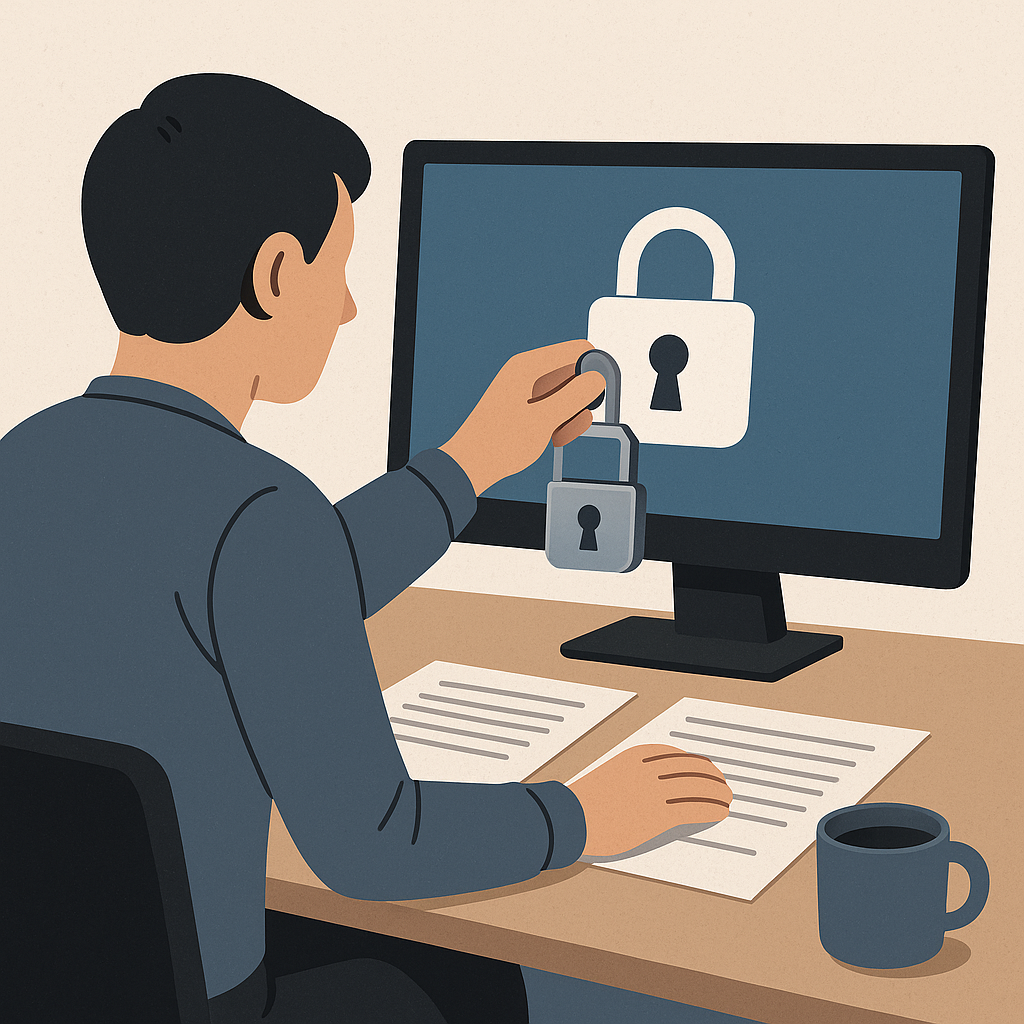
Security-Conscious Employee Habits That Require Zero Technical Skills
Walking into a new job brings enough challenges without wondering whether opening an email might compromise the entire company. Yet that exact scenario plays out in workplaces every day. An employee receives what looks like a legitimate message from the boss, clicks a link, enters their password on what seems like the correct login page, and unknowingly hands criminals access to confidential systems. No alarm sounds. No warning appears. The workday continues normally while attackers move through internal networks, often undetected for weeks.
This isn’t about advanced hacking techniques or sophisticated malware. Most workplace security incidents trace back to ordinary actions: clicking suspicious links, reusing passwords, downloading unauthorized software, or simply failing to verify a sender’s identity. The good news? Becoming a security-conscious employee requires no technical background, no certifications, and no specialized training. It demands awareness, consistent habits, and the willingness to slow down when something feels wrong.
For students entering the workforce, recent graduates starting first jobs, and career changers adapting to office environments, understanding these fundamentals serves as both professional insurance and a career differentiator. Security awareness has evolved from an IT department responsibility into a baseline professional expectation. The employees who recognize threats, follow secure practices, and respond appropriately to incidents become more valuable, more trusted, and better positioned for advancement than those who treat security as someone else’s problem.
Why Every Professional Needs Security Awareness
The misconception persists that cybersecurity belongs exclusively to IT departments and technical specialists. This belief creates dangerous blind spots because the vast majority of successful attacks exploit human behavior rather than technical vulnerabilities. According to guidance from the Cybersecurity and Infrastructure Security Agency, basic cyber hygiene practices dramatically reduce organizational risk, but only when employees throughout the organization consistently apply them.
Criminals target regular employees precisely because they lack security training and often work under time pressure that encourages shortcuts. A rushed finance employee might approve a fraudulent wire transfer request. A distracted HR worker might open an infected resume attachment. A helpful sales representative might share login credentials with someone claiming to be from tech support. None of these scenarios require technical expertise from the attacker, just the ability to create urgency, impersonate authority, or exploit normal business processes.
Beyond personal protection, security awareness directly impacts career prospects. Employers increasingly value candidates who understand basic security principles, especially in roles handling sensitive data, customer information, or financial transactions. Demonstrating security consciousness during interviews signals professional maturity, risk awareness, and the judgment to protect organizational assets. For those considering careers in IT, cybersecurity, or business operations, these foundational habits provide the behavioral framework that technical skills will later build upon.
Understanding Workplace Cyber Threats
Before adopting protective habits, understanding what those habits defend against creates context and motivation. Workplace cyber threats typically fall into several categories that affect businesses regardless of size or industry.
Phishing and Social Engineering
Phishing remains the most common workplace threat because it costs attackers almost nothing to attempt and succeeds often enough to stay profitable. These attacks use email, text messages, or phone calls to trick recipients into revealing passwords, clicking malicious links, or transferring money. The Federal Trade Commission identifies several phishing warning signs that every employee should recognize:
- Messages creating artificial urgency or threatening consequences
- Requests for passwords, account numbers, or other sensitive information
- Links that don’t match the purported sender’s actual web address
- Attachments from unexpected or unverified sources
- Messages containing spelling errors or awkward phrasing
Social engineering extends beyond simple phishing emails. Attackers might call pretending to be from IT support, requesting remote access to “fix a problem.” They might pose as vendors, executives, or regulatory officials. They research targets through public information, making their impersonations convincing enough to bypass normal skepticism.
Malware and Unauthorized Software
Malicious software enters workplace networks through infected attachments, compromised websites, or unauthorized application downloads. Once installed, malware can steal data, encrypt files for ransom, log keystrokes to capture passwords, or create backdoors for future access. The risk intensifies in remote work environments where employees might use personal devices or unsecured home networks for business purposes.
Unauthorized software creates risk even when not intentionally malicious. Applications downloaded without IT approval might contain security vulnerabilities, create data leakage paths, or conflict with corporate security tools. According to Government of Canada guidance, employees should always consult IT departments before installing new software on work devices, regardless of how useful or harmless the application appears.
Credential Theft and Account Compromise
Username and password combinations represent valuable commodities in criminal markets. Attackers who obtain valid credentials can access systems without triggering alarms, impersonate legitimate users, and operate undetected while stealing data or installing additional malware. Credential theft happens through phishing, keylogger malware, data breaches at third-party services, or simply observing passwords written on desk notes.
Account compromise often begins outside the workplace. When employees reuse passwords across personal and professional accounts, a breach at a shopping site or social media platform can expose corporate credentials. Attackers systematically test stolen password lists against business email systems, knowing that password reuse makes this approach effective.
Essential Security Habits for Every Professional
These practices require no technical expertise but collectively create substantial protection when applied consistently.
Verify Before Trusting Digital Communications
The single most effective security habit costs nothing and takes seconds: verify sender identity before responding to any request for sensitive information, money transfers, password resets, or urgent action. This means:
- Checking sender email addresses carefully for subtle misspellings or wrong domains
- Hovering over links before clicking to see actual destination URLs
- Calling known phone numbers rather than responding to unexpected contact
- Walking to a colleague’s desk to confirm unusual requests instead of relying solely on email
- Questioning urgency and threats, which criminals use to prevent careful verification
When an email claims to come from the boss, a vendor, or IT support, independently confirm through known channels before complying with requests. This habit feels awkward initially but becomes natural with practice and prevents most social engineering attacks.
Use Strong, Unique Passwords with Multi-Factor Authentication
Password security forms the foundation of account protection, yet weak practices remain endemic. Strong passwords should be:
- At least 12 characters long, preferably longer
- Composed of random words or character combinations rather than predictable patterns
- Completely unique for each account, never reused across sites
- Stored in approved password managers rather than written down or saved in browsers
- Changed immediately when breach notifications arrive
Multi-factor authentication adds protection that passwords alone cannot provide. Even when attackers steal or guess a password, MFA requires a second verification step, typically a code sent to a phone or generated by an authentication app. According to Federal Communications Commission guidance, enabling MFA dramatically reduces unauthorized access risk and should be activated on every account that offers it, especially email, banking, and core business systems.
For employees managing dozens of accounts, password managers eliminate the impossible choice between security and convenience. These tools generate strong unique passwords, store them encrypted, and auto-fill login forms, making secure practices easier than insecure shortcuts.
Keep Software and Devices Updated
Software updates feel like interruptions, but they frequently contain security patches that close vulnerabilities attackers actively exploit. Delaying updates creates windows of exposure that criminals specifically target, knowing that many users ignore or postpone patches. CISA cyber hygiene guidance emphasizes keeping operating systems, applications, and firmware current as a fundamental protective measure.
This applies to both work and personal devices used for business purposes. Phones, tablets, laptops, and even home routers require regular updates. Most devices and applications offer automatic update settings that handle this maintenance without requiring user action, and enabling these features removes the friction that leads to procrastination.
Think Before Clicking, Downloading, or Sharing
The pause between impulse and action creates space for security awareness to function. Before clicking links, opening attachments, downloading files, or sharing information, ask:
- Do I recognize this sender and expect this message?
- Does this request make sense given my role and normal workflow?
- Am I being pressured to act quickly without verification?
- Would my actions bypass normal approval processes?
- Should I check with IT, my manager, or a colleague before proceeding?
This habit proves especially valuable under pressure, when attackers deliberately create urgency to prevent careful thought. Slowing down feels counterproductive in fast-paced work environments, but the minutes spent verifying legitimacy prevent hours, days, or weeks spent recovering from security incidents.
Protect Sensitive Information and Follow Data Handling Policies
Understanding what information needs protection and how to handle it properly separates security-conscious employees from those creating unnecessary risk. Sensitive data includes:
- Customer information and personally identifiable data
- Financial records and payment information
- Login credentials and authentication details
- Proprietary business information and trade secrets
- Employee records and confidential communications
Data protection means encrypting sensitive files, using secure file sharing services approved by IT, avoiding public Wi-Fi for confidential work, locking screens when stepping away from devices, and properly disposing of documents through shredding rather than regular trash.
The Federal Trade Commission frames these practices within the NIST Cybersecurity Framework’s five functions: Identify what data needs protection, Protect it through access controls and encryption, Detect when incidents occur, Respond appropriately to breaches, and Recover through backups and continuity plans. Employees contribute most directly to the Identify, Protect, and Detect functions through careful data handling and incident recognition.
Report Security Concerns Immediately
Organizations cannot defend against threats they don’t know exist. Employees who notice suspicious emails, unusual system behavior, unexpected popups, or potential security incidents should report them immediately through established channels, even when uncertain whether the concern represents a real threat.
Most organizations prefer false alarms over unreported incidents. Security teams would rather investigate ten suspicious emails that turn out harmless than miss the one legitimate attack buried among them. Fast reporting enables faster response, potentially stopping attacks before significant damage occurs.
Common scenarios worth reporting include:
- Phishing emails, even when not clicked
- Unexpected password reset notifications
- Unusual account activity or unrecognized logins
- Lost or stolen devices containing business data
- Accidental disclosure of sensitive information
- Suspicious phone calls requesting access or information
Secure Remote and Mobile Work Environments
Remote work expanded during recent years, bringing productivity benefits and security challenges. Home networks typically lack the protections of corporate environments, and public Wi-Fi at coffee shops or airports transmits data without encryption, making interception easy for attackers.
Fortinet’s guidance on remote work security emphasizes several protective practices:
- Using virtual private networks when accessing company resources remotely
- Securing home Wi-Fi with strong passwords and WPA3 encryption
- Avoiding public Wi-Fi for sensitive work or using VPNs when necessary
- Keeping home routers updated with current firmware
- Using only approved devices and software for business purposes
- Maintaining physical security of devices to prevent theft or unauthorized access
Mobile devices require particular attention because they travel between secure and insecure environments, connect to various networks, and get lost or stolen more frequently than desktop systems. Using device encryption, remote wipe capabilities, and strong screen locks provides essential protection when phones or tablets contain business data.
Maintain Professional Boundaries Around Security
Security awareness includes knowing when to say no to requests that violate policies or feel wrong, even when those requests come from apparent authority figures. Legitimate managers and IT professionals will never:
- Ask for passwords or authentication codes
- Request that employees disable security software
- Demand immediate money transfers without following normal approval workflows
- Tell employees to ignore security warnings or bypass safety controls
- Create intense pressure to act without time for verification
When faced with such requests, employees should politely decline, explain security policy requirements, and offer to verify the request through official channels. This boundary-setting feels uncomfortable but prevents the social engineering attacks that specifically target helpful, compliant employees who want to assist authority figures.
Translating Awareness Into Career Value
Security consciousness provides tangible career benefits beyond risk reduction. During job interviews, discussing security awareness demonstrates professional maturity and business judgment. On resumes, highlighting security training, certifications like Security+, or participation in organizational security initiatives shows commitment to protecting organizational assets.
For those considering cybersecurity careers, these behavioral foundations prepare the ground for technical learning. Entry-level positions in IT support, help desk roles, and security operations center analyst positions value candidates who understand why security matters and consistently practice safe behaviors, even before they master technical tools.
Non-technical professionals benefit similarly. Business roles increasingly require data handling, privacy compliance, and risk awareness. Employees who naturally apply security principles, recognize threats, and follow safe practices become trusted with progressively more sensitive responsibilities and access.
Moving Forward With Security Awareness
Becoming a security-conscious employee represents a decision to accept responsibility for personal contributions to organizational security. The habits described here cost nothing, require no technical background, and become easier with practice. They feel unnatural initially because they introduce friction into workflows designed for convenience rather than security.
That friction serves a purpose. Pausing to verify sender identity creates the opportunity to catch phishing attempts. Taking time to use unique passwords prevents credential reuse that enables account compromise. Questioning urgent requests stops social engineering attacks. Reporting suspicious activity allows early threat detection.
Organizations provide varying levels of security training and support, but waiting for perfect instruction before adopting safe practices leaves unnecessary risk exposure. The resources needed to begin exist freely: CISA’s cyber hygiene guidance, FTC cybersecurity basics, and FCC small business security recommendations all provide authoritative foundation material at no cost.
For students preparing to enter the workforce, learning these habits before the first job creates immediate value. For career changers, adopting security awareness signals adaptability and professional standards. For early-career employees, demonstrating consistent security consciousness builds reputation and trust.
The technical landscape of cybersecurity continues evolving, with new threats, tools, and techniques emerging constantly. The behavioral foundation remains stable. Verify before trusting, protect credentials carefully, keep systems updated, think before acting, handle data responsibly, report concerns promptly, and maintain professional boundaries. These principles applied consistently create security-conscious employees whose reliability and judgment benefit both their organizations and their careers.
Security consciousness ultimately represents professionalism extended into the digital domain. Just as professionals dress appropriately, communicate clearly, and meet deadlines, they also protect organizational assets through careful attention to security fundamentals. This mindset, once developed, transfers across jobs, industries, and career stages, providing lasting value that technical skills alone cannot match.
Enjoyed this article?
Subscribe to Professor Simon's weekly newsletter for practical insights, career guidance, and leadership lessons delivered every Friday.
A confirmation email will be sent. If you don't receive it, please check your spam or junk folder.
No spam. Unsubscribe anytime.
Prefer to Listen?
Listen to Professor Simon’s IT & Cybersecurity Podcast for practical conversations about cybersecurity careers, certifications, security leadership, and real-world lessons from the field.
Listen on Spotify