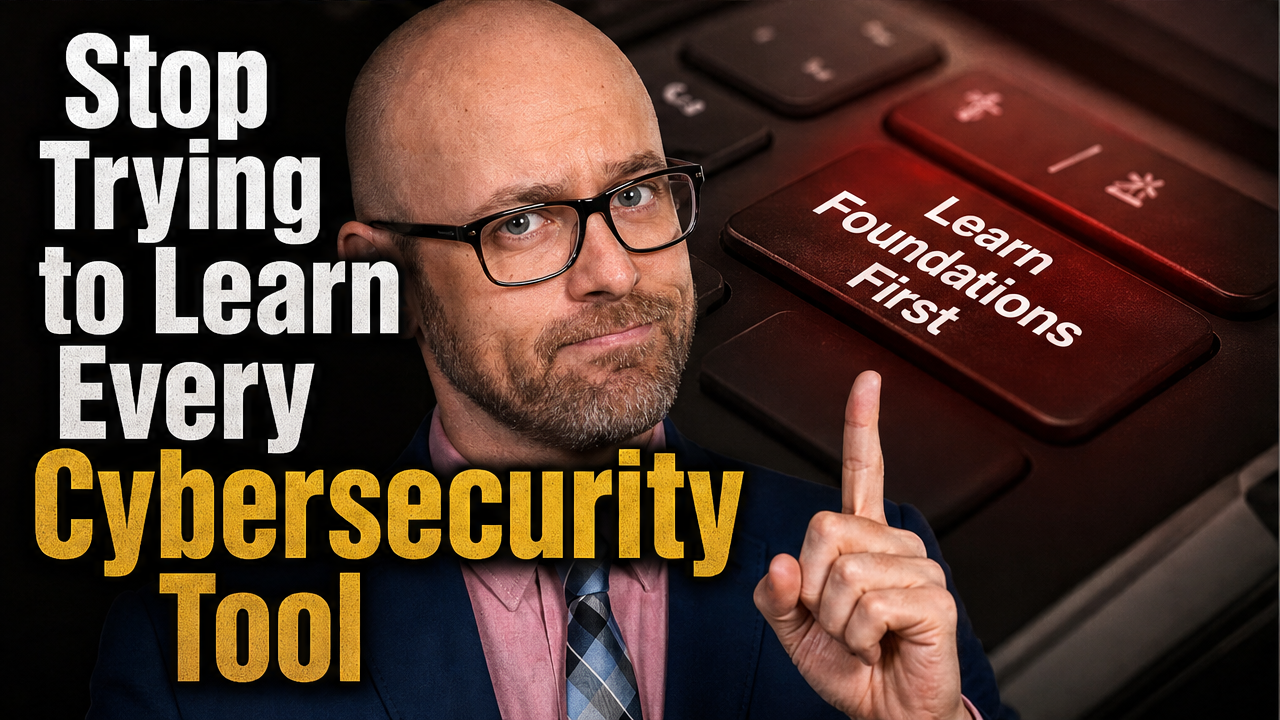
The Ultimate Guide to CCNA Certification: Path to Success in Networking

CCNA Certification Guide for Beginners
The Cisco Certified Network Associate (CCNA) certification is a foundational credential for IT professionals looking to establish themselves in networking careers. As one of the most recognized certifications in the industry, the CCNA validates essential knowledge in network fundamentals, security, automation, and programmability. For beginners and career changers alike, this certification offers a structured pathway to developing critical networking skills that employers actively seek.
This comprehensive guide breaks down everything needed to pursue and achieve CCNA certification, from understanding the exam structure to developing an effective study strategy and preparing for certification success.
Understanding the CCNA Certification
The CCNA certification serves as the entry point to Cisco’s professional certification program. Unlike its previous iterations that offered various specializations, the current CCNA is a single, comprehensive certification that covers a broad range of networking fundamentals.
What the Certification Covers
The CCNA exam (200-301) tests candidates on their knowledge and skills across several critical domains:
- Network fundamentals and implementation
- IP connectivity and services
- Security fundamentals
- Automation and programmability
- Wireless and WAN technologies
This comprehensive coverage ensures that CCNA-certified professionals possess a well-rounded understanding of modern networking concepts and technologies, making them valuable assets to potential employers.
Certification Value in the Job Market
The CCNA certification offers several tangible benefits for IT professionals:
- Career opportunities: Opens doors to roles like network administrator, network support technician, and help desk technician
- Salary potential: According to industry surveys, CCNA-certified professionals earn approximately 15-20% more than their non-certified counterparts
- Skill validation: Demonstrates proficiency in fundamental networking concepts to potential employers
- Foundation for advancement: Provides the groundwork for pursuing higher-level certifications like CCNP and CCIE
Prerequisites and Recommendations
While Cisco doesn’t mandate any formal prerequisites for taking the CCNA exam, candidates typically benefit from having:
- Basic understanding of computer networking concepts
- Familiarity with operating systems like Windows or Linux
- 1+ years of experience with network technologies (recommended but not required)
- Basic understanding of IP addressing
For complete beginners, starting with foundational networking courses before diving into CCNA-specific materials can make the learning curve more manageable.
CCNA Exam Structure and Content
The CCNA 200-301 exam features a structured format designed to comprehensively assess candidates’ networking knowledge and skills.
Exam Format
Key aspects of the current CCNA exam include:
- Duration: 120 minutes
- Question count: Approximately 100-120 questions
- Question types: Multiple-choice, drag-and-drop, simulation, and simlet
- Passing score: Approximately 80% (Cisco uses a scaled scoring system from 300-1000, with 825 as the passing threshold)
- Cost: $300 USD (may vary by region)
- Languages: Available in English and Japanese
Core Domain Knowledge
The exam syllabus is divided into key domains, each with specific weight in the overall assessment:
Network Fundamentals (20%)
- Network components and architectures
- Physical interfaces and cabling
- TCP/IP model and protocols
- IPv4 and IPv6 addressing
Network Access (20%)
- VLANs and trunking
- Layer 2 discovery protocols
- EtherChannel configuration
- Wireless principles
IP Connectivity (25%)
- Static and default routing
- OSPF implementation (single-area)
- IP addressing services (DHCP, NAT)
IP Services (10%)
- First-hop redundancy protocols
- Network Time Protocol (NTP)
- SNMP and syslog
- QoS concepts
Security Fundamentals (15%)
- VPN and encrypted protocols
- Access control concepts
- Layer 2 security features
- Device access control methods
Automation and Programmability (10%)
- REST API operations
- Configuration management tools
- JSON and YAML data formats
- Controller-based networking
Simulations and Practical Components
The CCNA exam includes hands-on simulation questions that require candidates to demonstrate practical skills:
- Simlets: Mini scenarios where candidates must analyze a network and answer multiple questions
- Testlets: Multiple related questions based on a common scenario
- Simulations: Interactive challenges requiring configuration of virtual network devices
These practical elements assess candidates’ ability to apply theoretical knowledge to real-world networking tasks, making lab practice an essential component of exam preparation.
Creating an Effective Study Plan
Success with the CCNA requires a structured approach to preparation. An effective study plan accounts for the comprehensive nature of the exam while allowing enough flexibility to adapt to individual learning styles and schedules.
Timeline Considerations
The ideal preparation timeline varies based on experience level:
- Beginners with no networking experience: 4-6 months of dedicated study
- IT professionals with some networking background: 2-3 months
- Experienced network administrators: 1-2 months for focused review
When planning study time, allocate:
- 10-15 hours per week for part-time study
- At least one month for lab practice and simulation exercises
- Two weeks for final review and practice exams
Structured Learning Approach
An effective CCNA study plan typically follows this progression:
- Phase 1: Fundamentals – Build a solid foundation in networking basics
- Phase 2: Domain-specific learning – Study each exam domain methodically
- Phase 3: Hands-on practice – Apply concepts in lab environments
- Phase 4: Review and assessment – Take practice tests and address weak areas
For each topic, follow this learning sequence:
- Study the concept theoretically
- Watch demonstration videos
- Attempt hands-on configuration
- Test understanding with practice questions
Resources and Materials
Successful CCNA candidates typically utilize a combination of learning resources:
Official Resources
- Cisco Official CCNA Certification Guide by Wendell Odom
- Cisco Networking Academy courses
- Cisco Learning Network resources
Third-Party Materials
- Video courses from platforms like Udemy, LinkedIn Learning, or CBT Nuggets
- Practice exams from Boson, AlphaPrep, or MeasureUp
- CCNA preparation books by authors like Todd Lammle
Lab Environments
- Cisco Packet Tracer (free simulator from Cisco)
- GNS3 (open-source network simulator)
- EVE-NG or VIRL for more advanced virtualization
- Physical lab equipment (recommended but optional)
For maximum effectiveness, combine multiple resource types to reinforce learning through different modalities.
Essential CCNA Technical Skills
While the CCNA exam covers numerous topics, certain technical skills form the core of what every networking professional should master. These fundamental abilities provide the foundation upon which more advanced networking knowledge is built.
IP Addressing and Subnetting
Mastering IP addressing concepts is critical for CCNA success. Key skills include:
- Understanding IPv4 and IPv6 address structure
- Converting between decimal and binary notation
- Calculating subnet masks and CIDR notation
- Determining network, broadcast, and usable host addresses
- Planning efficient subnetting schemes
Practice calculating these elements manually until they become second nature:
Example subnet calculation for 192.168.10.0/24 split into 4 subnets
First subnet: 192.168.10.0/26
Range: 192.168.10.0 – 192.168.10.63
Second subnet: 192.168.10.64/26
Range: 192.168.10.64 – 192.168.10.127
Third subnet: 192.168.10.128/26
Range: 192.168.10.128 – 192.168.10.191
Fourth subnet: 192.168.10.192/26
Range: 192.168.10.192 – 192.168.10.255
Switch Configuration
Fundamental switch configuration skills include:
- Basic switch setup and management access
- VLAN creation and port assignment
- Trunking configuration with 802.1Q
- STP (Spanning Tree Protocol) operation and manipulation
- Port security implementation
Example switch configuration commands to practice:
Basic switch configuration
Switch> enable
Switch# configure terminal
Switch(config)# hostname SW1
SW1(config)# interface vlan 1
SW1(config-if)# ip address 192.168.1.10 255.255.255.0
SW1(config-if)# no shutdown
VLAN configuration
SW1(config)# vlan 10
SW1(config-vlan)# name SALES
SW1(config)# interface range fastethernet 0/1-5
SW1(config-if-range)# switchport mode access
SW1(config-if-range)# switchport access vlan 10
Trunk configuration
SW1(config)# interface gigabitethernet 0/1
SW1(config-if)# switchport mode trunk
SW1(config-if)# switchport trunk allowed vlan 10,20,30
Router Configuration
Essential routing skills for the CCNA include:
- Basic router setup and interface configuration
- Static route configuration
- Dynamic routing protocol implementation (primarily OSPF)
- ACL (Access Control List) creation and placement
- NAT (Network Address Translation) configuration
Example router configuration commands:
Basic router interface configuration
Router> enable
Router# configure terminal
Router(config)# hostname R1
R1(config)# interface gigabitethernet 0/0
R1(config-if)# ip address 192.168.1.1 255.255.255.0
R1(config-if)# no shutdown
Static route configuration
R1(config)# ip route 10.0.0.0 255.255.255.0 192.168.2.1
OSPF configuration
R1(config)# router ospf 1
R1(config-router)# network 192.168.1.0 0.0.0.255 area 0
R1(config-router)# network 192.168.2.0 0.0.0.255 area 0
Network Security Implementation
Security fundamentals for CCNA include:
- Implementing secure device access with passwords
- Configuring SSH for remote management
- Creating and applying standard and extended ACLs
- Understanding security threats and mitigation techniques
- Implementing port security on switches
Example security configuration commands:
Secure device access
Router(config)# enable secret StrongPassword123
Router(config)# line console 0
Router(config-line)# password ConsolePass123
Router(config-line)# login
SSH configuration
Router(config)# hostname R1
R1(config)# ip domain-name example.com
R1(config)# crypto key generate rsa modulus 2048
R1(config)# line vty 0 4
R1(config-line)# transport input ssh
R1(config-line)# login local
R1(config)# username admin privilege 15 secret AdminPass123
ACL configuration
R1(config)# access-list 100 deny tcp any any eq 23
R1(config)# access-list 100 permit ip any any
R1(config)# interface gigabitethernet 0/0
R1(config-if)# ip access-group 100 in
Hands-on Practice Strategies
Theoretical knowledge alone isn’t sufficient for CCNA success. Practical experience through labs and simulations is essential for developing the hands-on skills needed to pass the exam and succeed in networking roles.
Setting Up a Home Lab
While not mandatory, a home lab environment provides invaluable hands-on experience. Consider these options:
Virtual Lab Setup (Budget-Friendly)
- Cisco Packet Tracer: Free for those who create a Cisco Networking Academy account
- GNS3: Open-source network simulator that can run actual Cisco IOS images
- EVE-NG: Network emulation platform that supports multiple vendor images
System requirements for virtual labs:
- Processor: Multi-core CPU (i5/i7 or equivalent)
- RAM: Minimum 8GB, recommended 16GB+
- Storage: 100GB+ free space
- Operating system: Windows 10/11 or Linux
Physical Lab Components (Investment Option)
For those who prefer physical equipment:
- 2-3 Cisco switches (Catalyst 2960 or similar)
- 2-3 Cisco routers (1800, 1900, or 2900 series)
- Console cables and Ethernet patch cables
- Optional: Wireless access point for wireless topics
Used equipment can often be found at reasonable prices on online marketplaces.
Effective Lab Exercises
Structure your practice around these essential lab scenarios:
Foundational Labs
- Basic device configuration (hostnames, IP addressing, passwords)
- Creating and assigning VLANs to switch ports
- Configuring trunk links between switches
- Setting up static routes between networks
Intermediate Labs
- OSPF single-area configuration across multiple routers
- NAT and PAT implementation
- DHCP server and relay configuration
- Standard and extended ACL implementation
Advanced Practice Scenarios
- EtherChannel and LACP configuration
- First Hop Redundancy Protocols (HSRP)
- Wireless network implementation
- Network troubleshooting scenarios
For each lab, follow this process:
- Document the network topology before starting
- Define clear objectives for each practice session
- Configure devices without referring to guides first
- Verify configurations with appropriate show commands
- Document what you learned and any challenges encountered
Simulation Practice
Dedicated practice with exam-style simulations is essential for success:
- Focus on mastering the Cisco IOS command line interface
- Practice interpreting network diagrams quickly
- Work through timed simulation exercises to build speed
- Develop the ability to troubleshoot configurations systematically
Example commands to verify configurations (critical for simulations):
Interface verification
show ip interface brief
show interfaces status
Routing verification
show ip route
show ip protocols
Switching verification
show vlan brief
show spanning-tree
show etherchannel summary
Troubleshooting commands
ping
traceroute
show running-config
show cdp neighbors
Exam Preparation Strategies
As exam day approaches, focused preparation strategies help consolidate knowledge and build confidence for success.
Practice Exams
Practice exams serve as critical preparation tools:
- Begin taking practice exams about 3-4 weeks before your scheduled test
- Use reputable sources like Boson ExSim, AlphaPrep, or MeasureUp
- Take full-length, timed practice exams to build stamina
- Review all answers—both correct and incorrect—to understand the reasoning
- Track performance by topic area to identify knowledge gaps
Aim to consistently score 85-90% on practice exams before taking the actual test, as practice exams are often slightly more difficult than the real thing.
Final Review Techniques
In the final two weeks before the exam, focus on these review strategies:
- Create summary notes: Condense key concepts into brief review sheets
- Use spaced repetition: Review difficult concepts at increasing intervals
- Quiz yourself: Use flashcards for commands, port numbers, and protocols
- Teach concepts: Explain complex topics to someone else or in writing
- Focus on weak areas: Prioritize topics where you’ve scored lowest
Create quick-reference sheets for:
- IP addressing and subnetting formulas
- Common port numbers and protocols
- Key router and switch commands
- OSI and TCP/IP model layers and functions
Exam Day Preparation
Maximize your chances of success with these exam day strategies:
Before the Exam
- Get a good night’s sleep (7-8 hours)
- Eat a balanced meal before the exam
- Arrive at the testing center 30 minutes early
- Bring required identification (two forms of ID typically required)
- Review your summary notes one last time
During the Exam
- Read each question carefully, noting keywords
- For simulations, read all requirements before configuring anything
- Budget your time (approximately 1 minute per regular question)
- Mark uncertain questions for review and return to them later
- Eliminate obviously incorrect answers to improve guessing odds
When approaching simulation questions:
- First understand what’s being asked
- Review the existing configuration
- Plan your configuration approach before implementing
- Verify your work using show commands
- Double-check that you’ve met all requirements
Beyond Certification: Career Growth
Earning the CCNA is not an endpoint but a milestone in your networking career journey. Knowing how to leverage this certification effectively can accelerate professional growth.
Job Roles and Opportunities
The CCNA qualification prepares candidates for several entry and mid-level networking positions:
- Network Administrator: Day-to-day management of network infrastructure
- Network Support Technician: Troubleshooting and maintaining networks
- Help Desk Technician (Tier 2/3): Advanced technical support
- Network Engineer (Junior): Network design and implementation
- System Administrator: Combined network and system management
CCNA-certified professionals can expect average starting salaries between $60,000-$80,000 USD, depending on location and industry.
Continuing Education
To maintain relevance in the rapidly evolving networking field:
- Stay current with technology trends: Follow industry blogs, websites, and Cisco resources
- Pursue hands-on projects: Build personal labs to explore new technologies
- Join professional communities: Participate in forums like Network Engineering on Reddit or Cisco Learning Network
- Attend webinars and conferences: Virtual and in-person networking events
Advanced Certification Paths
After achieving CCNA, consider these progression paths based on your interests:
Cisco-Specific Advancement
- CCNP Enterprise: For advanced enterprise networking roles
- CCNP Security: For network security specialization
- CCNP Data Center: For data center infrastructure roles
- CCIE (Various tracks): Expert-level certification in specific domains
Complementary Certifications
- Cloud certifications: AWS Certified Solutions Architect, Microsoft Azure Administrator
- Security certifications: CompTIA Security+, (ISC)² SSCP
- Linux certifications: Linux+, RHCSA
- Automation/Programming: Python certifications, Cisco DevNet
When planning your certification path, align your choices with both career goals and emerging industry trends, such as network automation, cloud integration, and security specialization.
Conclusion
The CCNA certification represents a valuable investment in your networking career. By providing a comprehensive foundation in network technologies, security, and automation, this credential opens doors to numerous professional opportunities while establishing a framework for continued growth.
Success with the CCNA requires a balanced approach combining theoretical study, hands-on practice, and strategic exam preparation. The journey demands dedication, but the structured nature of the certification process makes it achievable for committed learners regardless of their starting point.
As networks continue to evolve with emerging technologies like intent-based networking, network function virtualization, and advanced automation, the skills validated by the CCNA become increasingly relevant. By earning this certification and continuing to build on its foundation, networking professionals position themselves for long-term success in a technology landscape where connectivity remains fundamental.
Start your CCNA journey with clear goals, a structured study plan, and commitment to both theoretical understanding and practical application. The path to certification success—and the career opportunities that follow—begins with that first step.
Enjoyed this article?
Subscribe to Professor Simon's weekly newsletter for practical insights, career guidance, and leadership lessons delivered every Friday.
A confirmation email will be sent. If you don't receive it, please check your spam or junk folder.
No spam. Unsubscribe anytime.
Prefer to Listen?
Listen to Professor Simon’s IT & Cybersecurity Podcast for practical conversations about cybersecurity careers, certifications, security leadership, and real-world lessons from the field.
Listen on Spotify