Public Wi-Fi Safety: Protecting Your Data When Away From Home
Public Wi-Fi Safety: Protecting Your Data When Away From Home
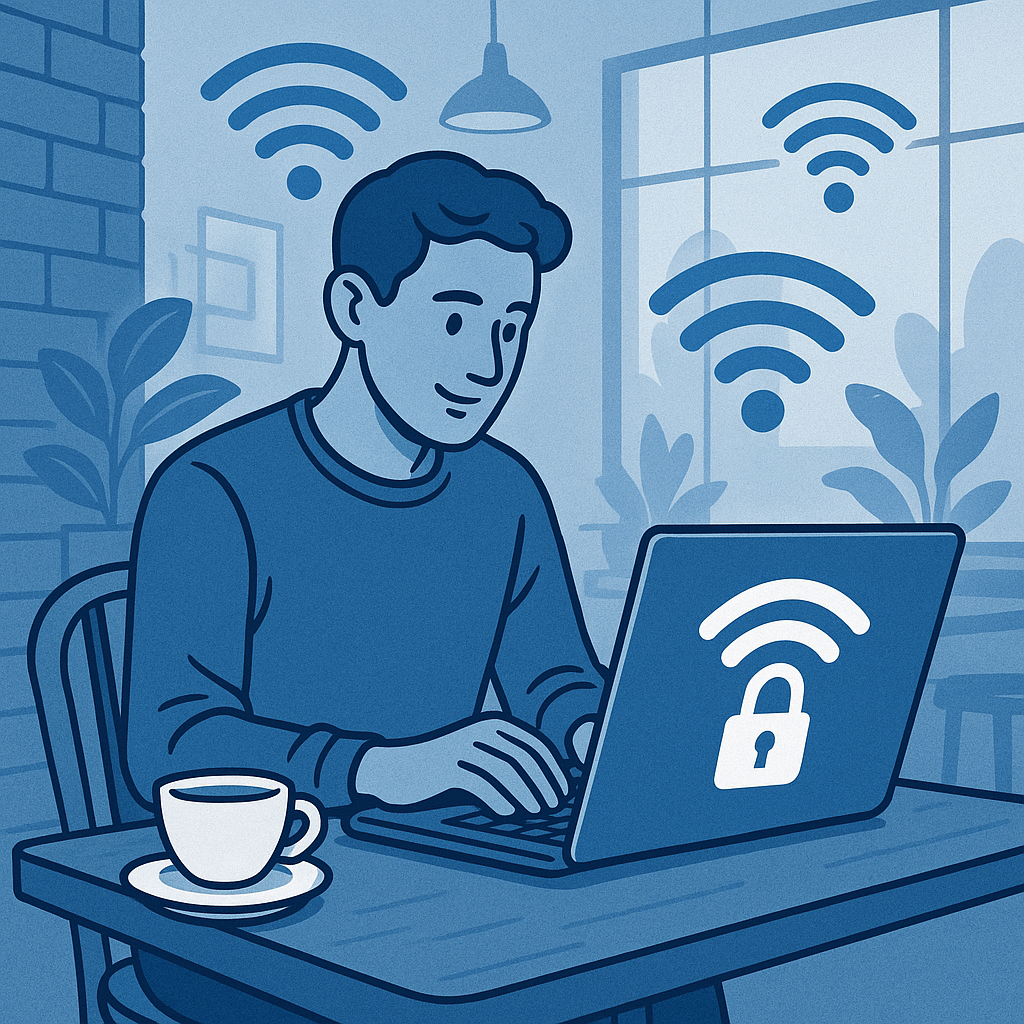
That free coffee shop Wi-Fi represents a calculated trade-off most people don’t fully understand. Convenience comes at the cost of exposure—your login credentials, banking information, work emails, and browsing activity become potentially visible to anyone sharing the same network with basic technical knowledge. The reality isn’t theoretical fearmongering. Public networks create genuine attack opportunities that cybercriminals exploit daily, targeting ordinary users conducting routine tasks.
The disconnect between widespread public Wi-Fi usage and the adoption of protective measures creates systematic vulnerability. Students work on research papers at libraries. Remote workers join video calls from hotel lobbies. Travelers check bank balances at airports. Each scenario involves transmitting sensitive data across networks designed for convenience, not security. Understanding the specific risks and implementing practical defenses transforms public Wi-Fi from a hazardous necessity into a manageable tool.
Understanding What Makes Public Wi-Fi Dangerous
Public networks operate fundamentally differently from home or corporate networks. The distinction matters because it determines what attackers can access.
When connecting to Wi-Fi at a coffee shop or airport, devices join a shared network where multiple users transmit data simultaneously. Unlike home networks with WPA2 or WPA3 encryption protecting all traffic between devices and the router, public networks often use no encryption or share a single password with all users. This creates a critical vulnerability: anyone connected to the same network can potentially intercept data transmitted by other users.
The technical term is a man-in-the-middle attack, where an attacker positions themselves between your device and the internet connection. Picture three people in a conversation—you, the website you’re visiting, and someone secretly intercepting and reading messages between you. The attacker doesn’t announce their presence. Your device functions normally while your data flows through hostile hands.
This attack type doesn’t require sophisticated hacking skills. Free software tools with intuitive interfaces allow technically competent individuals to capture network traffic, filter for useful information, and extract credentials or session tokens. The barrier to entry has dropped to the point where opportunistic attackers routinely scan public networks looking for unprotected traffic.
Common Attack Methods on Public Networks
Beyond passive interception, attackers use several active techniques specifically designed for public Wi-Fi environments.
Rogue Network Creation
Attackers create fake Wi-Fi networks with legitimate-sounding names. A coffee shop called “Central Perk” might have a real network named “CentralPerk-Guest.” An attacker creates “CentralPerk-WiFi” or “CentralPerk Free WiFi” nearby. Unsuspecting users connect to the malicious network, routing all traffic directly through the attacker’s device. This evil twin attack combines social engineering with technical exploitation—users see familiar names and assume legitimacy.
The sophistication increases when attackers position rogue networks in high-traffic areas with stronger signals than legitimate networks. Devices automatically connect to the strongest available signal, potentially switching from a real network to a malicious one without user awareness.
Packet Sniffing and Data Interception
Network traffic travels in small chunks called packets. On unencrypted networks or when users visit unencrypted websites, these packets contain readable data—login credentials, email content, browsing history, form submissions. Packet sniffing tools capture this traffic and reassemble it into usable information.
The risk increases dramatically when visiting sites without HTTPS encryption, identified by the padlock icon in browser address bars. Unencrypted HTTP connections transmit data in plain text, readable by anyone intercepting packets. Even on encrypted HTTPS connections, metadata revealing which sites you visit remains visible.
Session Hijacking
Many websites use session cookies to keep users logged in without requiring repeated password entry. These cookies act as temporary credentials. If an attacker intercepts session cookies on a public network, they can impersonate the legitimate user and access accounts without knowing passwords. Banking sites, email services, and social media platforms all use session-based authentication vulnerable to this attack.
Malware Distribution
Some compromised public networks actively inject malware into user devices. Attackers exploit unpatched software vulnerabilities or present fake software update prompts. Users believing they’re installing legitimate security updates instead install malicious software granting attackers persistent access to devices.
Activities That Increase Risk on Public Networks
Not all public Wi-Fi usage carries equal risk. Understanding which activities create the highest exposure enables better decision-making.
High-Risk Activities to Avoid
Online banking and financial transactions represent maximum-risk activities on public networks. Transmitting account numbers, routing information, credit card details, or authentication credentials provides attackers with direct financial access. Even with HTTPS encryption, the combination of valuable data and determined attackers makes public networks inappropriate for financial activities unless additional protections are active.
Accessing work systems containing sensitive business information similarly creates unacceptable risk. Corporate email, internal documents, customer databases, and proprietary information transmitted over public networks potentially expose both personal and organizational liability. Many employers explicitly prohibit accessing company resources from public networks for this reason.
Entering passwords on any platform while connected to unsecured networks creates credential exposure risk. Attackers harvesting passwords don’t just compromise the immediate account—they exploit password reuse across platforms to access multiple services.
Moderate-Risk Activities Requiring Protection
General web browsing on encrypted sites (HTTPS) carries moderate risk. While traffic content remains encrypted, browsing patterns and visited domains remain visible. Attackers build profiles of user interests and behaviors from metadata even when they can’t read specific content.
Social media access represents moderate risk depending on account value and privacy settings. Compromised social accounts enable identity theft, social engineering attacks against contacts, and reputational damage.
Email access similarly falls into moderate risk territory. While reading encrypted email doesn’t expose content to interception, session hijacking could grant attackers access to entire email histories and the ability to send messages as the legitimate user.
Lower-Risk Activities
Streaming video content or music from established services represents relatively lower risk. These activities don’t typically involve transmitting sensitive credentials after initial authentication, and compromising a streaming account offers limited value to attackers compared to financial or email access.
Reading news sites or browsing informational content without logging in creates minimal exposure, though browsing patterns remain visible.
Practical Protection Measures for Public Wi-Fi
Effective public Wi-Fi security requires layered defenses combining technology and behavior modification.
Virtual Private Networks Explained
A VPN creates an encrypted tunnel between your device and the internet, routing all traffic through the VPN provider’s servers. To observers on the public network, your traffic appears as encrypted data traveling to the VPN server. The actual destinations and content remain hidden.
Think of a VPN as placing your internet activity inside a locked, opaque pipe. Someone monitoring the network knows you’re sending data through the pipe but cannot see what flows inside or where it ultimately goes.
VPN selection requires careful evaluation. Free VPN services often monetize through data collection and advertising, potentially creating new privacy risks while solving security problems. Reputable paid VPN providers with clear privacy policies, no-logging commitments, and strong encryption protocols offer genuine protection.
Critical VPN considerations include:
- Jurisdiction and privacy laws governing the provider
- Encryption protocols used (OpenVPN, WireGuard, IKEv2 preferred)
- Connection logging policies (minimal logging preferred)
- Server network size and geographic distribution
- Connection speed and reliability
Installing and activating a VPN before connecting to public Wi-Fi ensures all traffic receives protection from the moment the connection establishes.
HTTPS Verification and Browser Security
The HTTPS protocol encrypts data between browsers and websites, preventing interception even on compromised networks. Verifying HTTPS connections before entering any sensitive information provides basic protection.
Modern browsers display a padlock icon in the address bar for HTTPS connections. Clicking the icon reveals certificate information confirming the website’s identity. Absence of this padlock icon indicates unencrypted HTTP connections unsuitable for sensitive activities.
Browser extensions like HTTPS Everywhere automatically upgrade connections to HTTPS when available, reducing reliance on manual verification. Enabling HTTPS-only mode in browser settings blocks access to unencrypted sites entirely, forcing security by default.
Multi-Factor Authentication as Backup Protection
Even if attackers intercept credentials on public networks, multi-factor authentication (MFA) prevents unauthorized account access by requiring additional verification beyond passwords. SMS codes, authenticator app tokens, or hardware security keys provide this second authentication factor.
MFA transforms credential theft from immediate compromise into a blocked attack. The intercepted password alone cannot grant access without the second factor the attacker doesn’t possess.
Prioritize MFA on high-value accounts:
- Email (controls password resets for other accounts)
- Banking and financial services
- Work-related accounts
- Social media platforms
- Cloud storage containing sensitive data
Hardware security keys offer the strongest MFA protection, requiring physical device possession to authenticate. Authenticator apps provide better security than SMS-based codes, which remain vulnerable to SIM swapping attacks.
Device and Operating System Protections
Disabling automatic Wi-Fi connection prevents devices from joining networks without explicit user approval. Automatic connections create vulnerability to evil twin attacks by allowing devices to connect to any network matching a previously trusted name.
Operating system firewalls should remain active on public networks, blocking unsolicited incoming connections. File sharing and network discovery features should be disabled when away from trusted networks to prevent unauthorized access to device contents.
Keeping operating systems and applications updated patches known vulnerabilities that attackers exploit on public networks. Enabling automatic updates ensures protection remains current.
Network Selection and Verification
Confirming network legitimacy before connecting reduces rogue network risk. Ask staff for the official network name and password rather than selecting from available networks independently. Legitimate businesses typically provide this information prominently or upon request.
Networks requiring no password at all offer zero access control, allowing anyone to connect and potentially attack other users. Password-protected networks provide marginal improvement by limiting attacker access to those who know the shared credential.
Hotel and airport networks often present terms-of-service pages before granting internet access. This connection workflow, while sometimes inconvenient, indicates a managed network with some oversight rather than an open, unmanaged access point.
Avoid networks with generic names like “Free Public WiFi” or slight variations of business names. These frequently represent rogue networks established by attackers.
Post-Connection Security Verification
After connecting, verify your VPN activates successfully before beginning sensitive activities. VPN client applications display connection status, server location, and traffic encryption confirmation.
Check browser address bars for HTTPS indicators before entering credentials or sensitive information on any site. Develop the habit of reviewing connection security as standard procedure, not optional verification.
Monitor connected devices through router interfaces when possible. Seeing multiple unknown devices on a supposedly private network indicates potential compromise or shared access points.
Developing Safe Public Wi-Fi Habits
Technology solutions provide necessary protection, but behavior patterns determine actual security outcomes.
Pre-Travel Preparation Checklist
Before relying on public networks, prepare devices and accounts:
- Install and configure a reputable VPN
- Enable MFA on all supported accounts
- Update operating systems and applications
- Disable automatic Wi-Fi connections
- Configure browser HTTPS-only mode
- Document legitimate network names for planned locations
- Back up important data to avoid loss if device compromise requires wiping
Activity Prioritization and Scheduling
When possible, delay high-risk activities until secure network access becomes available. Banking transactions can wait until returning home or reaching a trusted network. Urgent work matters might justify using mobile hotspot data instead of public Wi-Fi, accepting cost in exchange for security.
Tethering smartphones as mobile hotspots provides controlled network access superior to public Wi-Fi. While cellular data carries some interception risk, the technical barriers significantly exceed public Wi-Fi exploitation. Mobile carrier encryption and the absence of shared local networks reduce attack surface substantially.
Recognition and Response to Warning Signs
Browsers display security warnings for invalid HTTPS certificates or connection problems. Never ignore these warnings on public networks. Certificate errors might indicate man-in-the-middle attacks where attackers attempt to impersonate legitimate websites.
Unexpected logouts from services or requests to re-enter credentials could signal session hijacking attempts. When suspicious activity occurs, disconnect from the network immediately and verify account access from a trusted network.
Unusually slow connection speeds or pages loading with unexpected content might indicate traffic interception or injection attacks. Trust instincts when network behavior seems abnormal.
Understanding What Public Wi-Fi Cannot Compromise
Despite significant risks, certain protections remain effective even on hostile networks.
End-to-end encrypted messaging applications like Signal or WhatsApp encrypt message content on sender devices and decrypt only on recipient devices. Even if attackers intercept the encrypted data, they cannot read message contents without the encryption keys held only by conversation participants.
Password managers accessing encrypted vaults provide security even on public networks because vault contents remain encrypted with master passwords known only to users. Network attackers might observe that you’re accessing a password manager but cannot access stored credentials.
Properly configured VPN connections protect all device traffic regardless of network hostility. The encryption remains effective even if attackers control the entire network infrastructure, though VPN reliability depends on provider trustworthiness.
Balancing Convenience and Security
Public Wi-Fi fills genuine connectivity needs for mobile users, students, travelers, and remote workers. Complete avoidance rarely represents practical guidance for people who need internet access throughout their day.
The solution involves understanding risk levels for different activities and implementing proportional protections. Checking news or streaming video requires minimal protection. Accessing email needs moderate safeguards. Banking or work systems demand maximum security or complete avoidance of public networks.
This risk-based approach acknowledges that perfect security prevents useful activity while complete convenience creates unacceptable vulnerability. The practical middle ground involves:
- Using VPNs as default protection on all public networks
- Restricting high-risk activities to trusted networks when possible
- Implementing MFA to limit damage from credential theft
- Developing verification habits that become automatic behaviors
- Understanding enough about attack methods to recognize warning signs
Public Wi-Fi safety doesn’t require paranoia or technical expertise. It requires awareness that convenience creates exposure, knowledge of practical protective measures, and discipline to implement basic safeguards consistently. The threat remains real and widespread, but the defenses are accessible and effective for ordinary users willing to invest minimal effort in their digital security.
Enjoyed this article?
Subscribe to Professor Simon's weekly newsletter for practical insights, career guidance, and leadership lessons delivered every Friday.
A confirmation email will be sent. If you don't receive it, please check your spam or junk folder.
No spam. Unsubscribe anytime.
Prefer to Listen?
Listen to Professor Simon’s IT & Cybersecurity Podcast for practical conversations about cybersecurity careers, certifications, security leadership, and real-world lessons from the field.
Listen on Spotify