Multi-Factor Authentication Explained: Why It Matters
A twenty-character password should be unbreakable. That’s what most people believe. Yet accounts protected by genuinely strong, complex passwords get compromised every single day, not because attackers cracked the password through brute force, but because they didn’t need to. Phishing pages, data breaches at unrelated companies, and malware that logs keystrokes all hand attackers working credentials without ever attempting to guess a password directly. Once an attacker has your password, however strong it was, a password alone offers zero further protection.
That extra verification step when logging in, checking a phone, approving a notification, entering a code, might feel like an unnecessary hassle. It’s the single most effective thing most people can do to protect their accounts, precisely because it defends against exactly the way accounts actually get compromised in practice.
How Accounts Actually Get Compromised
Understanding why multi-factor authentication matters starts with understanding how attackers actually get passwords, because it’s rarely through the dramatic, movie-style password cracking most people imagine.
Phishing remains the most common method. A convincing fake login page captures a password the moment someone types it in, no cracking required, because the victim handed it over directly. Data breaches at unrelated companies routinely expose password databases, and because a meaningful share of people reuse passwords across multiple accounts, a breach at one company can compromise accounts at completely different ones. Malware, particularly keyloggers, captures credentials directly from an infected device regardless of password strength. Credential stuffing takes passwords leaked in one breach and automatically tries them against other services, betting on password reuse.
None of these methods require breaking a strong password through computational brute force. They all sidestep password strength entirely by obtaining the password through some other means. This is precisely the gap multi-factor authentication closes.
What Multi-Factor Authentication Actually Does
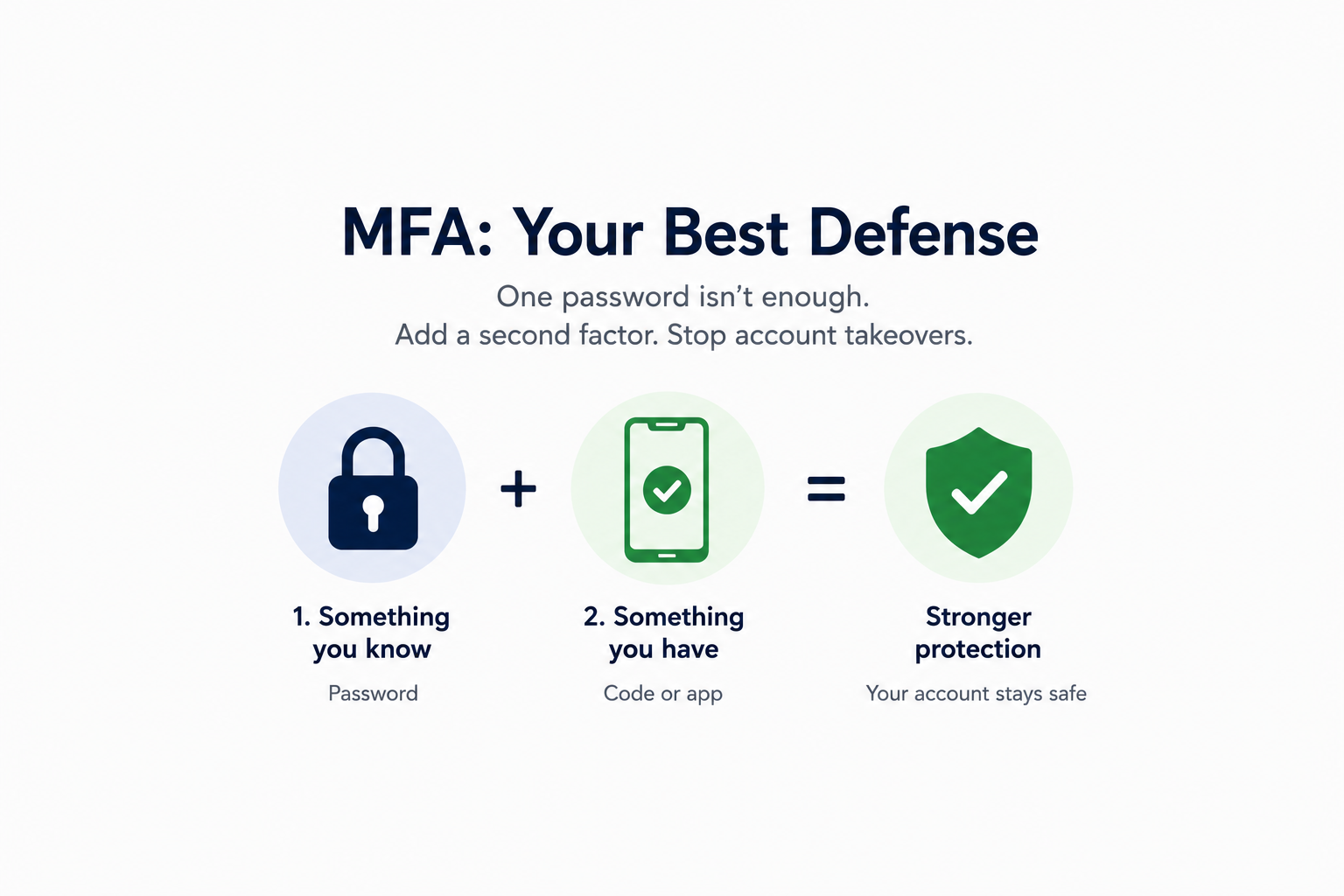
Multi-factor authentication (MFA), sometimes called two-factor authentication (2FA) when specifically referring to two verification steps, requires a second, independent form of verification beyond a password before granting account access. That second factor typically falls into one of three categories: something you know (a password or PIN), something you have (a phone, a hardware security key, an authenticator app), or something you are (a fingerprint or face scan).
The security value comes from independence. A password can be phished, leaked in a breach, or captured by malware without the attacker gaining access to your physical phone or hardware key. Even with a correct, working password in hand, an attacker who doesn’t also have your second factor is stopped at the login screen. This is why security researchers and major technology companies consistently point to MFA as one of the single highest-impact security measures available to ordinary users, blocking the overwhelming majority of automated and credential-based account takeover attempts even when a password has already been compromised.
The Different Types of MFA, and Which Ones Are Actually Strongest
Not all forms of multi-factor authentication provide equal protection, and understanding the differences helps you prioritize which accounts get which method.
SMS text codes send a one-time code to your phone via text message. This is better than no second factor at all, but it’s the weakest common option, vulnerable to SIM-swapping attacks where an attacker convinces a mobile carrier to transfer your phone number to a device they control, intercepting the codes meant for you.
Authenticator apps (like Google Authenticator, Microsoft Authenticator, or Authy) generate time-based codes directly on your device without relying on a text message, closing the SIM-swapping vulnerability that affects SMS codes. This is a meaningfully stronger option for most accounts and widely supported.
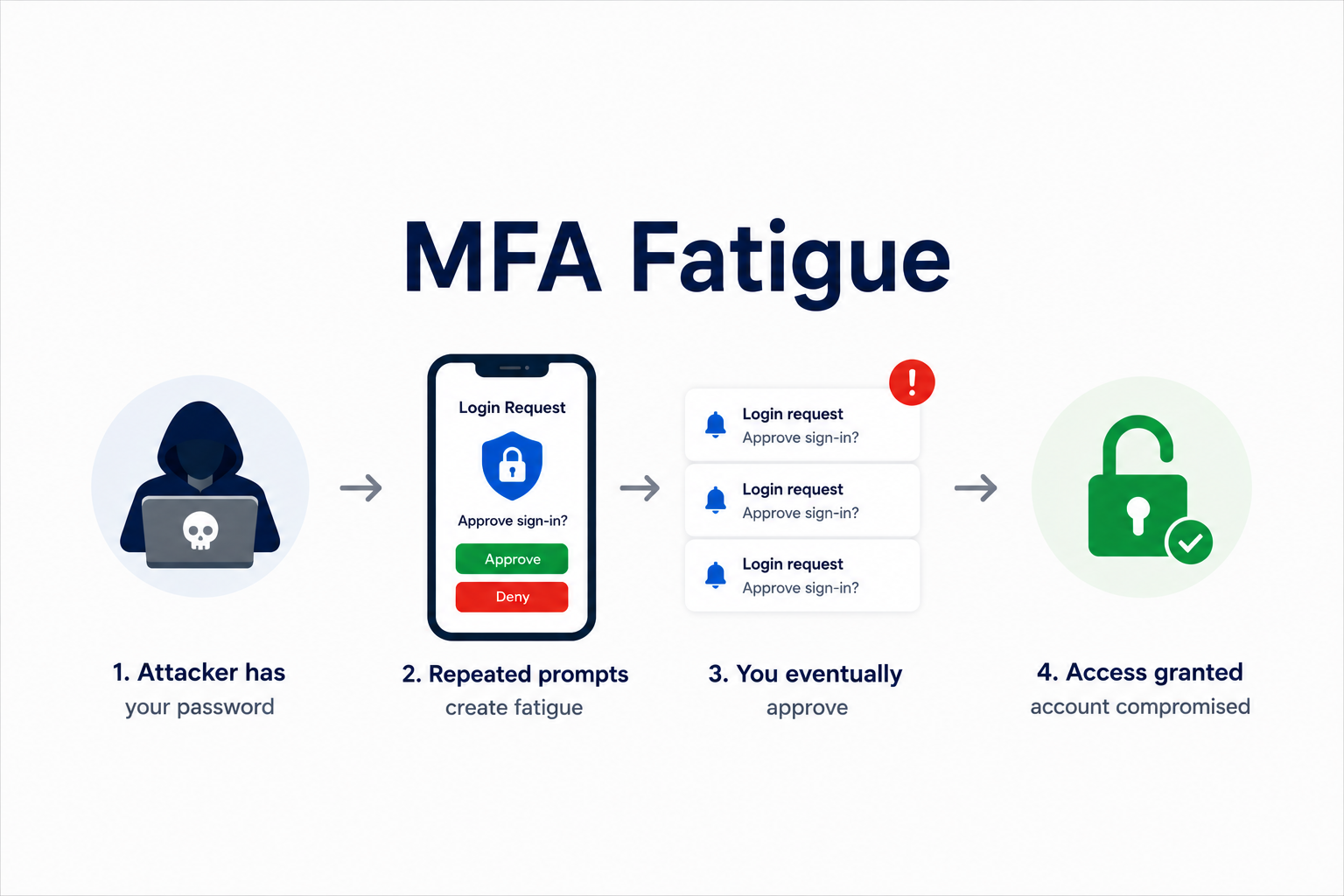
Push notifications send an approval request directly to a registered device, letting you approve or deny a login attempt with a tap. Convenient, but this method has its own specific vulnerability, covered in depth in the companion piece on authentication fatigue, where attackers exploit notification volume itself as an attack vector.
Hardware security keys (physical devices like a YubiKey) provide the strongest protection currently available for most people, since they require physical possession of the specific device and are resistant to phishing in ways that codes and push notifications aren’t. They’re less commonly used mainly due to the modest upfront cost and the need to carry a physical device.
Setting Up MFA Without Overcomplicating It
You don’t need every account protected with a hardware key to see real security benefit. A practical, prioritized approach works better than trying to perfect everything at once.
Start with your email account. Email is frequently the recovery method for every other account you own; compromising it can cascade into compromising accounts across your entire digital life. If you enable MFA on nothing else, enable it here first.
Move to financial and work accounts next. Banking, investment platforms, and any work account with access to sensitive systems or data represent the next-highest priority given the direct financial or professional consequences of compromise.
Use an authenticator app over SMS where you have the choice. Most major services now support authenticator apps, and the upgrade from SMS closes a real, documented vulnerability for relatively little added effort.
Don’t let perfect be the enemy of protected. Enabling any legitimate second factor, even the imperfect SMS option, provides dramatically more protection than a password alone. Waiting to set up the theoretically ideal MFA configuration everywhere before enabling anything anywhere leaves you unprotected in the meantime for no real benefit.
The Bottom Line
A strong password remains necessary, but it’s no longer sufficient on its own, because the ways accounts actually get compromised routinely bypass password strength entirely. Multi-factor authentication closes that gap by requiring something an attacker typically can’t obtain through phishing, a data breach, or malware alone: physical possession of your second factor. The extra few seconds it costs at login is a genuinely small price for protection against the way account takeovers actually happen in practice.
Enjoyed this article?
Subscribe to Professor Simon's weekly newsletter for practical insights, career guidance, and leadership lessons delivered every Friday.
A confirmation email will be sent. If you don't receive it, please check your spam or junk folder.
No spam. Unsubscribe anytime.
Prefer to Listen?
Listen to Professor Simon’s IT & Cybersecurity Podcast for practical conversations about cybersecurity careers, certifications, security leadership, and real-world lessons from the field.
Listen on Spotify